By AlertMedia, Risk Intelligence and Response
Communications Jul 20, 2026
Mass Notification With Microsoft Teams and Slack Integration
Emergency Communications Key Feature Guide
Explore how you can protect your people and business with AlertMedia’s secure, two-way, AI-powered, multichannel notifications.
Table of Contents
- Why Channel Reach Matters More Than Channel Count
- What "Using Teams for Emergencies" Usually Means vs. Coordinated Multichannel Delivery
- How Teams and Slack Fit Into a Multichannel Send
- What to Look for in Teams and Slack Notification Integration
- How AlertMedia Approaches Teams and Slack Integration
- Meet Employees Where They Already Are
Mass notification with Microsoft Teams and Slack integration means emergency notifications are delivered directly into the collaboration tools employees already have open all day, alongside SMS, email, voice, and other channels, rather than depending on a channel employees might not be watching. For organizations where Microsoft Teams or Slack is the default digital workplace, this closes a gap that email- or SMS-only notification systems can leave open: a notification that never appears in the tool someone actually has on their screen. This page covers how AlertMedia’s Emergency Communication delivers notifications to Teams and Slack as part of a single, multichannel send.
Why Channel Reach Matters More Than Channel Count
Employees are not evenly reachable across channels. A notification system’s value depends less on how many channels it technically supports and more on whether it reaches people where they are actually paying attention:
- Digital-first workplaces live in Teams and Slack. For many organizations, these platforms are the primary surface for daily work communication—more actively monitored, in some cases, than email.
- Using Teams or Slack informally for emergencies creates gaps. A message posted to a channel by an individual admin, outside a governed notification workflow, has no delivery tracking, no confirmation of receipt, and no guarantee every intended recipient saw it.
- Remote and hybrid workforces compound the problem. Employees who are rarely at a desk phone or a physical bulletin board may still be actively present in a collaboration tool.
- A single-channel strategy has a single point of failure. If the notification system depends on one channel and that channel is missed, muted, or down, the message doesn’t get through.
What “Using Teams for Emergencies” Usually Means vs. Coordinated Multichannel Delivery
| Capability | Posting to Teams or Slack Manually | AlertMedia’s Coordinated Multichannel Send |
| Delivery tracking | No structured record of who saw the message. | Delivery Insights and Reporting track receipt across every channel in the send, including Teams and Slack. |
| Reach beyond the channel | Limited to whoever is watching that channel at that moment. | The same send also reaches SMS, email, voice, mobile app, desktop, and WhatsApp. |
| Two-way response | Replies are unstructured and easy to miss in a busy channel. | Two-Way Communication captures read confirmations and responses in a structured way. |
| Speed to send | Requires manually drafting and posting in each tool separately. | One workflow drafts and sends to all channels, including Teams and Slack, at once. |
How Teams and Slack Fit Into a Multichannel Send
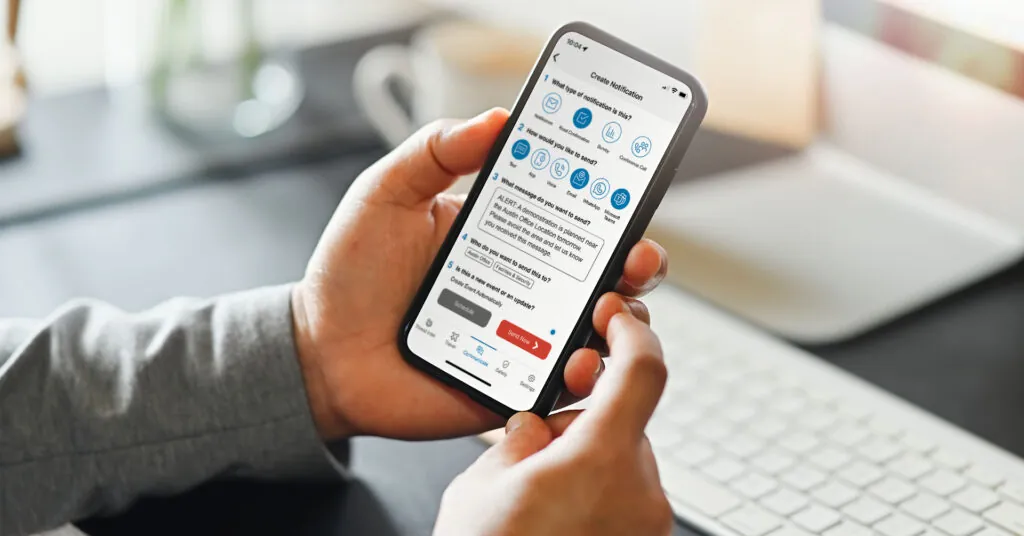
Draft once
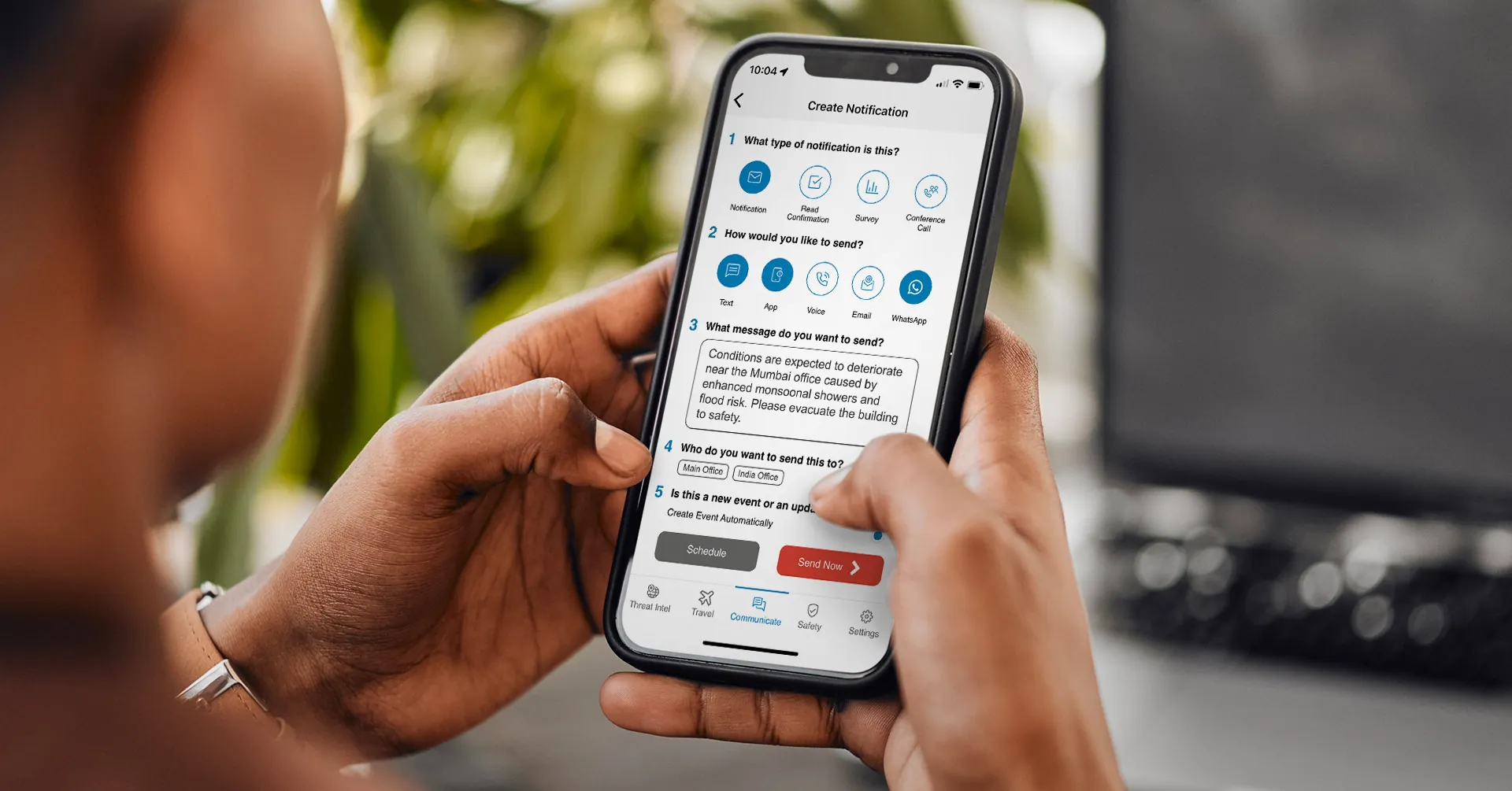
An admin composes a notification using AlertMedia’s Simple 5-Step Notification Creation workflow. AI Assistant can help draft, refine, and translate the message before it goes out.
Select the channels
Teams and Slack are selected alongside SMS, email, voice, mobile app, desktop, and WhatsApp—multichannel delivery from a single send, not a separate integration to configure per incident.
Deliver and track
The notification is delivered into Teams and Slack alongside the other selected channels, and Delivery Insights and Reporting track receipt across all of them in real time.
Capture responses
Two-Way Communication captures read confirmations and responses from recipients, regardless of which channel they responded through.
What to Look for in Teams and Slack Notification Integration
| Capability | Why It Matters |
| Teams and Slack as part of one multichannel send | A notification limited to a single collaboration tool misses anyone not actively watching it at that moment. |
| Delivery tracking specific to each channel | Knowing a message was posted is different from knowing who actually received or read it. |
| Two-way response capture | Structured responses (not just channel replies) let a response team see who needs help at a glance. |
| A single drafting workflow | Drafting separately for each tool during an incident costs time the response team doesn’t have. |
| AI-assisted drafting and translation | Getting a clear, well-translated message out fast matters more during an incident than during routine communication. |
How AlertMedia Approaches Teams and Slack Integration
| Need | How AlertMedia Helps |
| Reaching employees in the tools they use | Multichannel delivery includes Teams and Slack alongside SMS, email, voice, mobile app, desktop, and WhatsApp, sent from one workflow. |
| Tracking delivery across channels | Delivery Insights and Reporting track receipt in real time across every channel in a send, including Teams and Slack. |
| Capturing responses | Two-Way Communication captures read confirmations and responses from recipients across channels. |
| Fast, accurate message drafting | AI Assistant helps draft, refine, and translate notifications in the same workflow before they go out to Teams, Slack, and every other selected channel. |
| Consistent process regardless of channel mix | The Simple 5-Step Notification Creation process is the same whether an admin selects two channels or eight. |
More than 3,500 organizations across 150+ countries use AlertMedia’s Emergency Communication, serving 13M+ users. Customers report responding 25+ minutes faster, and new admins train on the platform in roughly 20 minutes. AlertMedia has also been named a Gartner Peer Insights™ Customers’ Choice.
Frequently Asked Questions
- What is mass notification with Microsoft Teams and Slack integration? It's the ability to deliver emergency notifications directly into Microsoft Teams and Slack as part of a single multichannel send, alongside SMS, email, voice, mobile app, desktop, and WhatsApp, with delivery tracking and two-way responses captured across all of them.
- How is this different from just posting a message in a Teams or Slack channel? A message posted directly to a channel has no structured delivery tracking and no guarantee every intended recipient saw it. AlertMedia's Emergency Communication sends to Teams and Slack as part of a governed, multichannel workflow with Delivery Insights and Reporting and Two-Way Communication built in.
- Can employees respond to a notification sent through Teams or Slack? Yes. Two-Way Communication captures read confirmations and responses from recipients regardless of which channel they respond through, giving the response team a structured view of who has been reached.
- Does AI Assistant work when sending to Teams and Slack? Yes. AI Assistant helps draft, refine, and translate the notification within the same workflow before it is sent to every selected channel, including Teams and Slack.
- Is Teams and Slack delivery tracked the same way as SMS or email? Delivery Insights and Reporting track receipt across the channels included in a send in real time, giving teams visibility into notification performance across Teams, Slack, and other selected channels.
- Do organizations need a separate tool to notify employees in Teams and Slack? No. Teams and Slack are included as delivery channels within AlertMedia's Emergency Communication, selected alongside other channels in the same notification workflow—not a separate integration to manage per incident.
Meet Employees Where They Already Are
A notification system is only as effective as the channels it actually reaches. AlertMedia’s Emergency Communication includes Teams and Slack in the same multichannel send as SMS, email, voice, mobile app, desktop, and WhatsApp, so the message lands wherever employees are actually working.
Download Our Emergency Communications Key Feature Guide
Explore how you can protect your people and business with AlertMedia’s secure, two-way, AI-powered, multichannel notifications.

AlertMedia, Risk Intelligence and Response