By AlertMedia, Risk Intelligence and Response
Emergency Management Jul 15, 2026
How to Implement an Emergency Notification System to Protect Business Operations
Emergency Communications Key Feature Guide
Explore how you can protect your people and business with AlertMedia’s secure, two-way, AI-powered, multichannel notifications.
Table of Contents
Implementing an emergency notification system to protect business operations means moving through a defined sequence—needs assessment, vendor selection, configuration and data integration, administrator training, testing, go-live, and ongoing maintenance—so the system is reliable and fully adopted before it’s needed in a real incident. Organizations that treat implementation as an afterthought often end up with a system that’s technically live but poorly configured, thinly adopted, or dependent on contact data nobody has kept current. This guide walks through each phase of implementation, what to prioritize at each step, and how AlertMedia’s Emergency Communication is built to make the process fast without cutting corners.
Why Implementation Approach Matters for Business Operations
An emergency notification system is only as good as the implementation behind it. A handful of recurring problems show up when organizations rush or under-plan the rollout:
- Contact data goes stale before go-live. A system configured with a one-time data export, rather than an ongoing sync, starts falling out of date the day it launches.
- Admin adoption stays limited to a few power users. If only one or two people know how to send a notification, the organization has a single point of failure exactly when speed matters most.
- Testing gets skipped under deadline pressure. A system that has never been tested end-to-end carries unknown risk into its first real incident.
- Migration from a legacy system stalls momentum. Organizations switching from an existing system often underestimate the work of reproducing distribution lists, templates, and escalation logic in the new platform.
The Emergency Notification System Implementation Lifecycle
A structured implementation moves through seven phases. Each phase has a clear objective and a clear signal that it’s time to move to the next one.
Phase 1: Needs assessment
Before evaluating any system, document what the organization actually needs to notify: which locations, which audiences (employees, contractors, visitors), which incident types, and which existing systems (HRIS, directory services, physical security systems) will need to feed contact data into the notification workflow. This assessment becomes the requirements list used in vendor selection.
Phase 2: Vendor selection
Evaluate candidates against the needs assessment, not against a generic feature checklist. Key evaluation criteria include channel breadth (does it reach where your workforce actually is, including collaboration tools like Microsoft Teams and Slack), two-way communication, data integration options, admin usability, and implementation and support model. If the organization is migrating from an existing system, ask each vendor directly about their migration process.
Phase 3: Configuration and data integration
Configure notification templates, escalation workflows, and channel preferences, and connect the system to the organization’s HRIS or directory service so contact data and group membership sync automatically rather than requiring manual upkeep. This is also the phase to set up dynamic groups—audience segments built from location, department, or role—so future notifications can target the right people without rebuilding a list each time.
Phase 4: Administrator training
Train every admin who might need to send a notification, not just the primary owner. A system that takes only about 20 minutes to learn removes the excuse to limit training to one or two people, and cross-training reduces the risk of a single point of failure during an actual incident.
Phase 5: Testing
Run a full end-to-end test before go-live: send a test notification across every configured channel, confirm delivery and two-way response tracking, and verify that dynamic groups are populating correctly from the synced data source. Testing should also include a tabletop exercise that walks the response team through using the system during a realistic scenario.
Phase 6: Go-live
Launch with a clear internal communication plan so employees know what a notification from the new system will look like and what’s expected of them (for example, confirming receipt or responding to a status check). A quiet, well-communicated go-live reduces confusion and false alarms in the first weeks of use.
Phase 7: Ongoing maintenance
Implementation doesn’t end at go-live. Review contact data sync health, update templates and escalation workflows as the organization changes, and periodically retest the system, especially after any change to the underlying HRIS or directory service it draws from.
Migrating From a Legacy System
Organizations replacing an existing emergency notification system face an additional consideration: reproducing years of accumulated configuration, distribution lists, and institutional knowledge in a new platform. AlertMedia’s ClearPath Migration Program is built specifically for this transition, helping organizations moving from a legacy system carry over their configuration and get to a fully implemented state faster than starting from a blank setup.
What to Look for During Implementation
| Implementation Factor | Why It Matters |
| Automated contact data sync | A one-time data import goes stale immediately; ongoing sync keeps the system accurate without manual upkeep. |
| Fast admin training | The faster admins can be trained, the more of them there can be, reducing single points of failure. |
| Structured testing before go-live | An untested system carries unknown risk into its first real incident. |
| A defined migration path for legacy replacements | Organizations switching systems need a plan for reproducing existing configuration, not just a login to a new platform. |
| Ongoing support after go-live | Implementation quality erodes over time without a plan for review and maintenance. |
“AlertMedia helps us get our crisis response team together quickly when there’s an incident so we can rapidly communicate important messages to thousands of people across email, text, phone, and more. That saves us a lot of time—it’s a labor-saving solution.”–Matt McMahan, Sr. Manager of Business Continuity, Texas Roadhouse
How AlertMedia Approaches Implementation
| Implementation Need | How AlertMedia Helps |
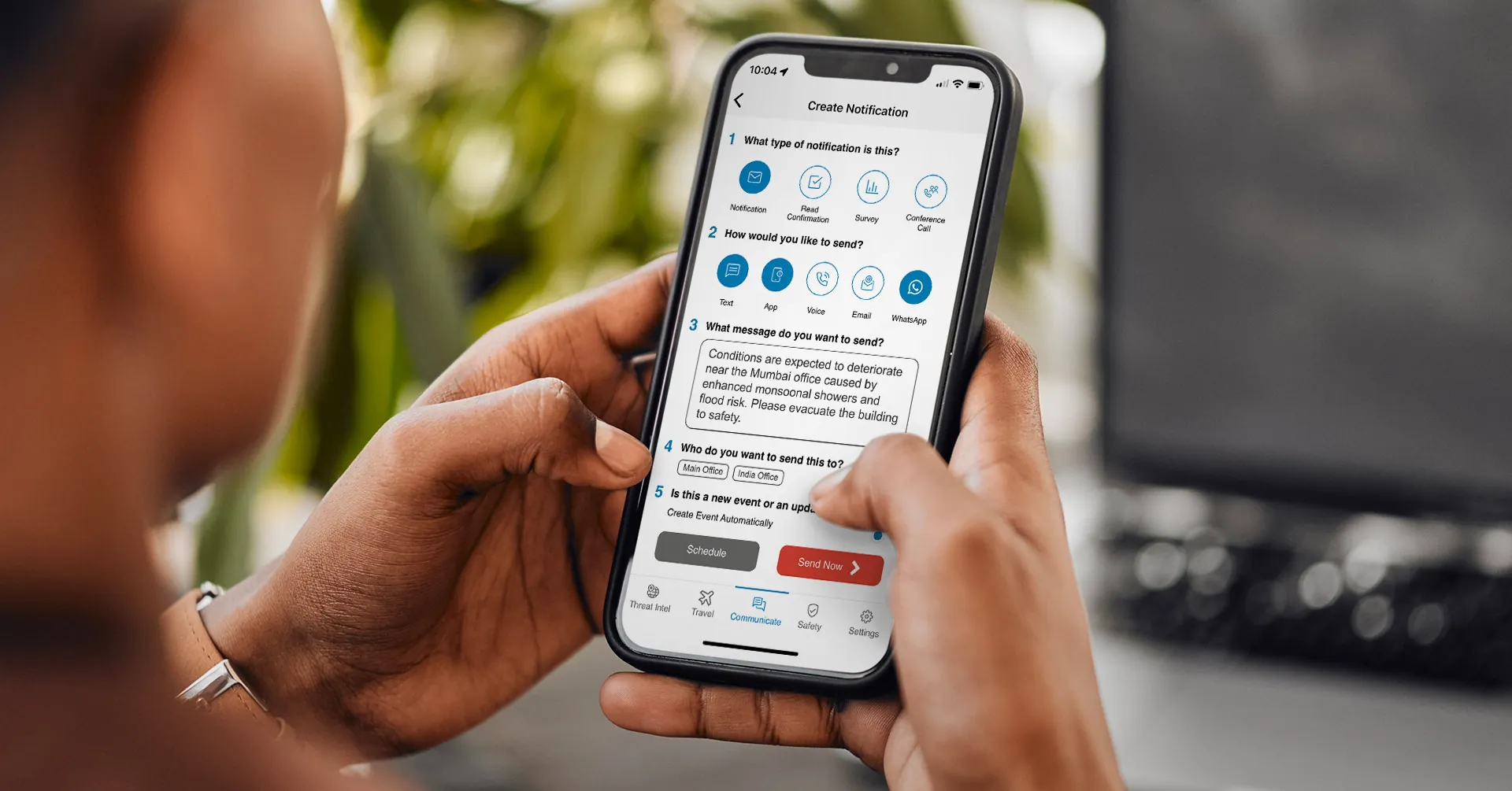
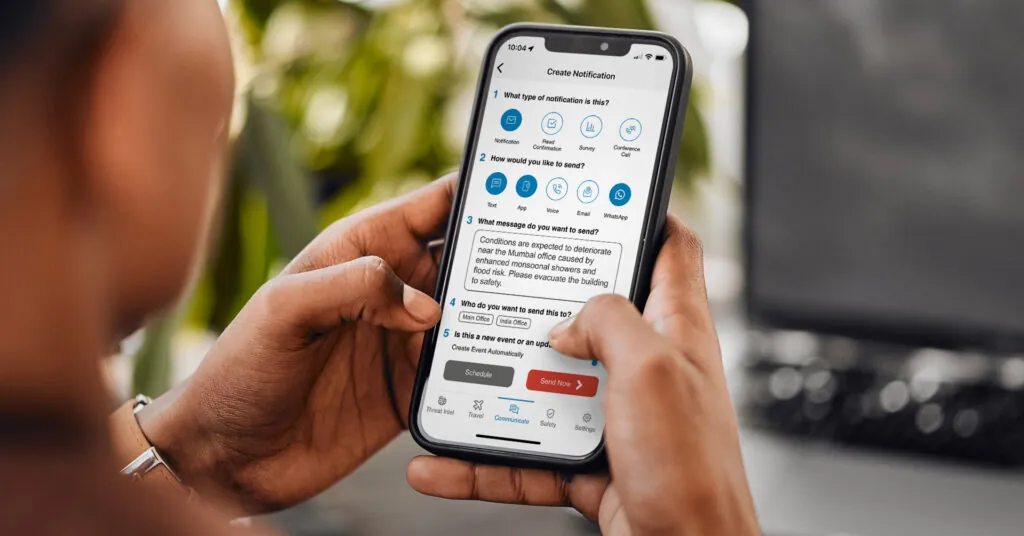
| Fast, low-friction admin training | Simple 5-Step Notification Creation is intuitive enough that new admins train in roughly 20 minutes, making broad admin adoption realistic rather than aspirational. |
| Contact data that stays current automatically | Automated Contact Data Sync and Dynamic User Groups pull from the organization’s HRIS, so distribution lists update as the underlying data changes, not on a manual schedule. |
| Reaching the full workforce from one configuration | Multichannel delivery (SMS, email, voice, mobile app, desktop, Teams, Slack, and WhatsApp) is configured once and applies to every future notification. |
| Fast, clear message drafting | AI Assistant helps draft, refine, and translate notifications directly inside the send workflow. |
| A defined path for legacy system replacement | The ClearPath Migration Program is built specifically for organizations moving off a legacy emergency notification system. |
More than 3,500 organizations across 150+ countries use AlertMedia’s Emergency Communication. Customers report responding 25+ minutes faster and an 87% increase in admin adoption, with new admins trained on the platform in roughly 20 minutes. AlertMedia has also been named a Gartner Peer Insights™ Customers’ Choice.
Frequently Asked Questions
- How do I implement an emergency notification system to protect business operations? Implementing an emergency notification system to protect business operations involves seven phases: needs assessment, vendor selection, configuration and data integration, administrator training, testing, go-live, and ongoing maintenance. Moving through each phase deliberately, rather than rushing to go-live, is what determines whether the system is reliable and well-adopted when it's actually needed.
- How long does it take to implement an emergency notification system? Implementation timelines vary by organization size and complexity, but a platform with straightforward data integration and admin training designed to take roughly 20 minutes per admin can move from vendor selection to go-live significantly faster than a system requiring extensive manual configuration.
- What data integrations are required for ENS setup? At minimum, an emergency notification system needs a way to sync contact and group data from the organization's HRIS or directory service, so distribution lists and dynamic groups stay current without manual updates. Additional integrations may include physical security or facilities systems, depending on the organization's needs assessment.
- How many administrators need to be trained? More than the minimum required to operate the system day to day. Training only one or two administrators creates a single point of failure; a fast, intuitive training process makes it realistic to cross-train a broader group so coverage doesn't depend on any one person being available during an incident.
- How do I test the system before going live? Run a full end-to-end test that sends a notification across every configured channel, confirms delivery and two-way response tracking, and verifies that dynamic groups populate correctly from the synced data source. Pairing this with a tabletop exercise helps the response team practice using the system under realistic conditions before go-live.
- What is the difference between an emergency notification system and a mass notification system? "Mass notification" is a generic, legacy category term generally associated with one-way, SMS-based alerting. A modern emergency notification system like AlertMedia's Emergency Communication is two-way and multichannel, supporting read confirmations, status checks, and delivery across SMS, email, voice, mobile app, desktop, Teams, Slack, and WhatsApp from a single workflow.
- How do I keep contact data current after go-live? Automated Contact Data Sync connects the notification system directly to the organization's HRIS or directory service, so contact information and group membership update automatically as the underlying data changes, rather than requiring a manual refresh.
Build Implementation Into the Plan, Not an Afterthought
An emergency notification system protects business operations only if it’s implemented well: current data, trained admins, a tested workflow, and a plan for the long term. AlertMedia’s Emergency Communication is built to make each phase faster, from a five-step send process any admin can learn quickly to a migration program built for organizations replacing a legacy system.
Download Our Emergency Communications Key Feature Guide
Explore how you can protect your people and business with AlertMedia’s secure, two-way, AI-powered, multichannel notifications.

AlertMedia, Risk Intelligence and Response