By AlertMedia, Risk Intelligence and Response
Emergency Management May 27, 2026
Mass Notification Software With AI Translation
Emergency Communications Key Feature Guide
Explore how you can protect your people and business with AlertMedia’s secure, two-way, AI-powered, multichannel notifications.
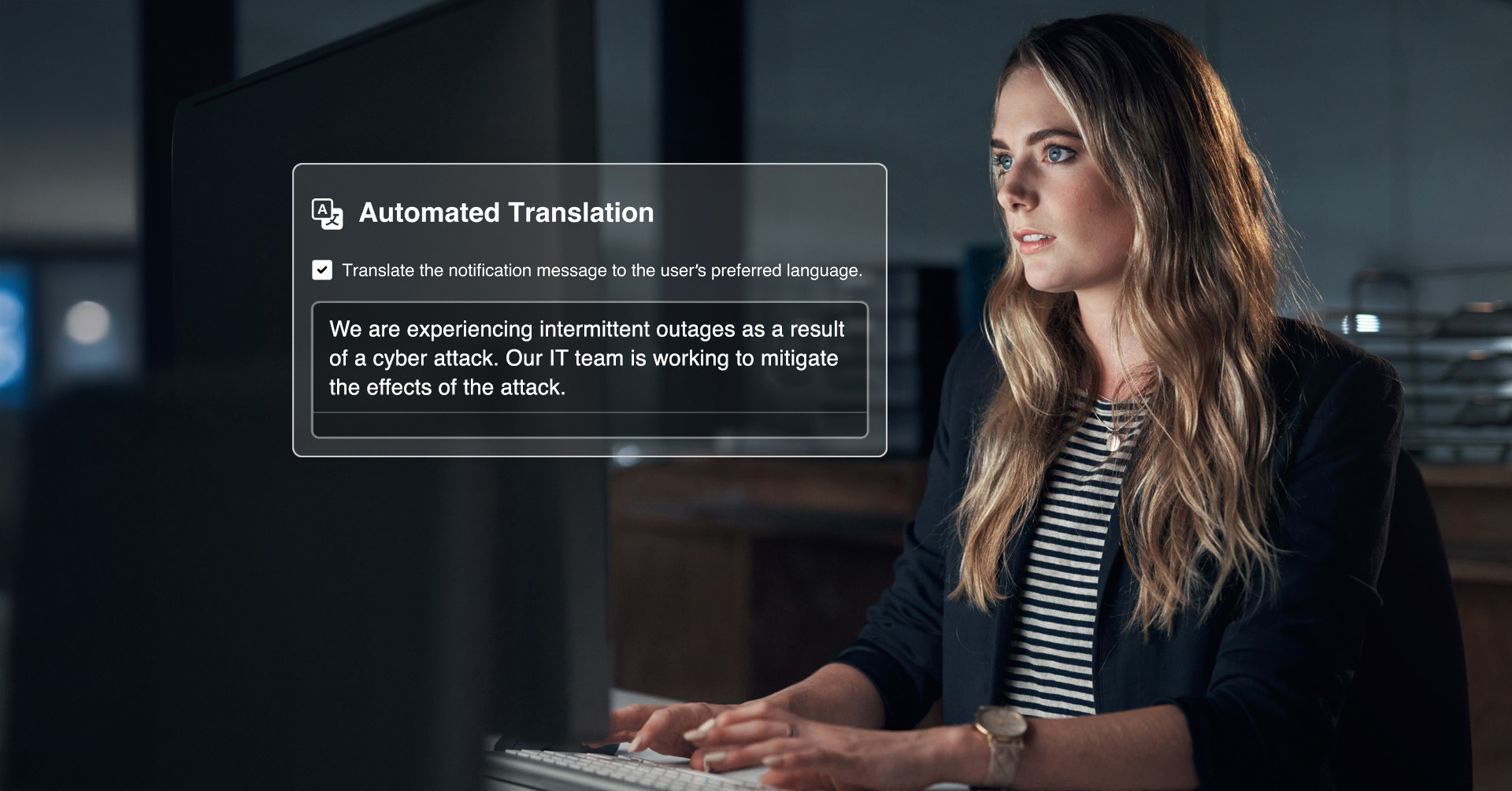
AlertMedia’s Emergency Communication software includes built-in AI translation that automatically delivers messages in each employee’s preferred language—from a single send workflow, with no manual steps. For organizations managing a multilingual or global workforce, this capability closes the gap between sending fast and communicating clearly. This page explains how Automatic Message Translation works, why it matters for enterprise emergency communication, and what to look for when evaluating mass notification software with AI translation.
The Problem: Fast Notifications Don’t Help If Employees Can’t Read Them
When an incident unfolds, the margin for error is narrow. A severe weather event approaching a regional facility, a security incident at a distribution center, a facility closure requiring immediate action—each of these demands a clear, actionable message that every employee can understand, regardless of the language they speak.
Most emergency communication software was not built with multilingual workforces in mind. The result is a familiar workaround: maintain separate contact lists by language, draft notifications in multiple languages before sending, rely on managers to relay translated messages downstream, or simply send in one language and hope for the best. Each of these approaches adds minutes to the response timeline and introduces risk at exactly the moment when clarity matters most.
Organizations with employees in multiple countries—or with domestic workforces that include significant non-English-speaking populations—face this problem every time they need to send a critical notification. The answer is not a better translation workaround. It is mass notifications software with AI translation built directly into the send workflow.
What Is Automatic Message Translation—and How Does It Work
Automatic Message Translation is a named capability within AlertMedia’s Emergency Communication software. It enables administrators to compose a notification in one language and deliver it to each recipient in their preferred language, automatically, as part of a single send workflow.
Here is how it works in practice:
Preferred language stored at the contact level
Each employee’s language preference is stored directly in their AlertMedia contact record, synced from your HRIS or set manually. When a notification is sent, the system references each recipient’s stored preference and routes the appropriate translated version to them—no list segmentation required.
Translation happens inside the send workflow
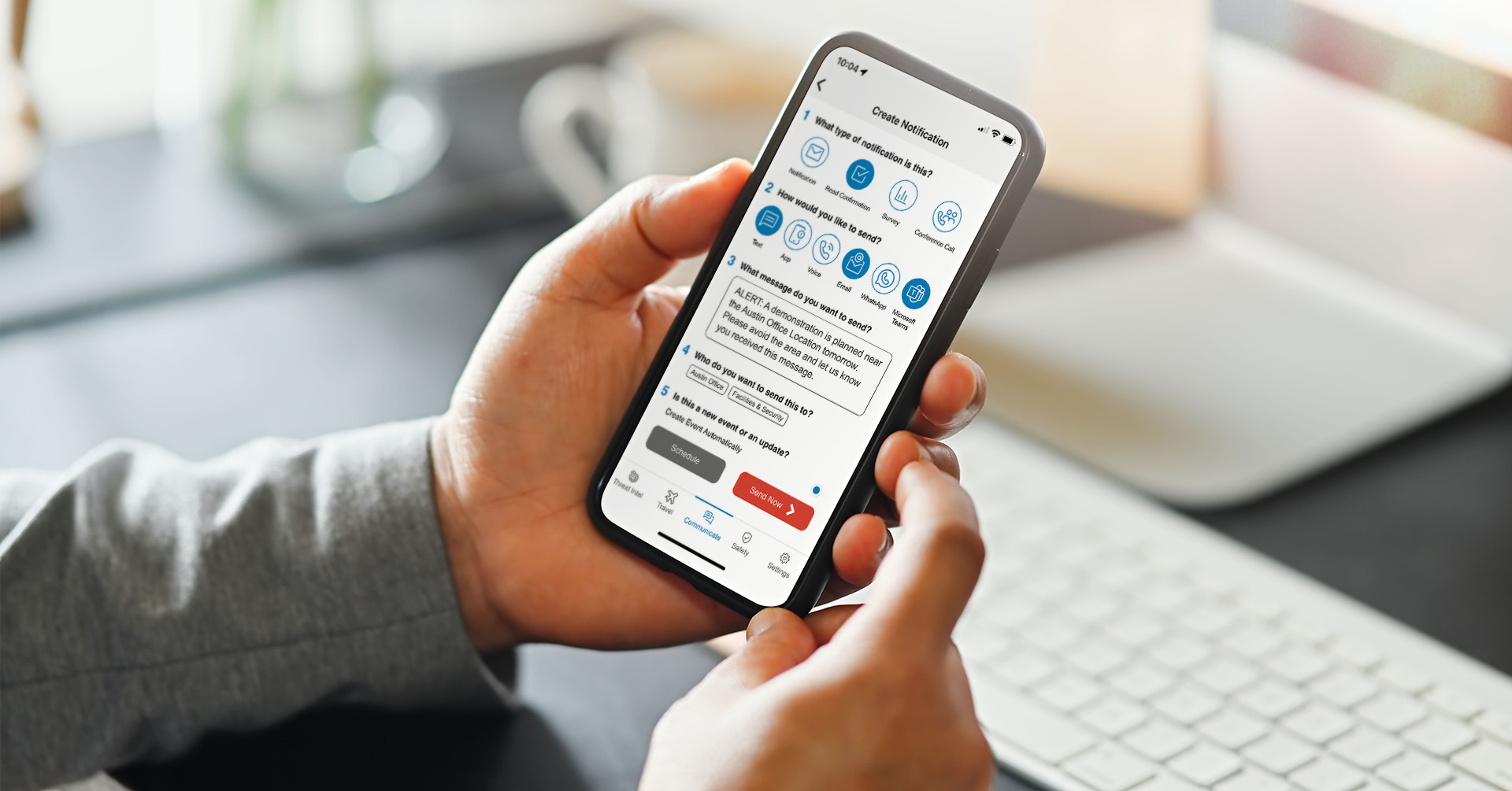
Automatic Message Translation is not a bolt-on feature or a post-send step. It is embedded in the same intuitive, 5-step notification creation process AlertMedia administrators already use. Compose your message, select your audience, and send—translation is handled in the background for every recipient who has a language preference on file.
AI Assistant supports drafting and refinement before you translate
AlertMedia’s AI Assistant—a GenAI-powered capability purpose-built for emergency communication—helps administrators compose, refine, and optimize notifications before translation occurs. The result is a clearly written source message that translates accurately, rather than a rushed draft that loses meaning when rendered in another language.
Multichannel delivery in the translated language
Translated notifications are delivered across all of AlertMedia’s supported channels: SMS, email, voice, mobile app, desktop, Microsoft Teams, and WhatsApp. Employees receive the message in their preferred language on the channels where they are most likely to see it.
Why This Matters: The Business Case for AI Translation in Emergency Communication
Speed without translation delay
Emergency communication works against the clock. The moment a notification is delayed—because an administrator is manually drafting a second-language version, waiting for a bilingual colleague, or copying and pasting into a translation tool—the value of the communication degrades.
AlertMedia customers respond to incidents 25+ minutes faster compared to organizations using legacy systems. Automatic Message Translation removes the multilingual bottleneck from the send workflow entirely, so that advantage holds for every employee, in every language.
Clarity that reduces confusion
Automated translation does not mean imprecise translation. AlertMedia’s translation capability is designed to produce accurate, context-appropriate renderings of emergency messages—not literal word-for-word conversions that lose meaning in specialized or safety-critical contexts.
When combined with AI Assistant, which helps administrators write clear, concise, actionable source messages before translation, the result is a notification that communicates effectively in every target language.
A single workflow for a global workforce
Without built-in translation, global emergency communication requires either a segmented approach (separate contact lists, separate sends, separate tracking) or a lowest-common-denominator approach (one language, limited reach). Neither is operationally sound.
Automatic Message Translation means a single send reaches every employee in the language they need. Administrators work from one workflow, monitor delivery from one dashboard, and track response through AlertMedia’s real-time delivery insights—regardless of how many languages are in play.
Compliance and duty of care
For organizations with employees in jurisdictions with duty-of-care obligations, or with regulatory requirements around safety communication, language accessibility is not a nice-to-have. It is a legal and operational requirement. Delivering safety-critical notifications only in English to a workforce that includes Spanish, Portuguese, Mandarin, French, Arabic, or other-language speakers creates risk—not only for employees, but for the organization.
AlertMedia’s Emergency Communication software is SOC2 Type II compliant, GDPR compliant, CCPA compliant, and ISO 27001 certified. Combined with Automatic Message Translation, it provides a defensible, documented record of multilingual notification delivery across the workforce.
What to Look for in Mass Notification Software With AI Translation
Not all emergency communication platforms approach translation the same way. When evaluating mass notification software with AI translation, here are the key criteria to apply.
Translation built into the send workflow, not added afterward. The most common implementation gap is translation as a manual step—a feature that exists but requires extra time, extra screens, or extra staff to use. Look for platforms where translation is automated at the contact-preference level, so no additional action is required at send time.
Contact-level language preferences, not list-level segmentation. Segmenting contact lists by language is a workaround, not a solution. As your workforce changes, as employees move, and as language preferences evolve, list-based approaches require constant maintenance. Contact-level language storage, synced from HRIS, stays current automatically.
AI-assisted drafting before translation. AI translation is only as good as the source message. Platforms that combine AI-assisted drafting with translation capability produce better results—clearer source language leads to clearer translations. Ask vendors whether AI drafting assistance is available before the translation step, not only after.
Multichannel delivery in the translated language. A translated SMS notification that is not matched by a translated email—or a translated push notification that is not supported on desktop—creates communication gaps. Confirm that translated messages are delivered across every channel in the recipient’s preferred language.
Two-way communication in multiple languages. Translation should not be limited to outbound messages. When employees respond to a notification—confirming receipt, indicating they need assistance, or answering a status-check survey—those responses should be readable by administrators regardless of language. Ask vendors how they handle multilingual inbound responses.
Throughput and global reliability. For multinational organizations, translation capability must be backed by a communication network with demonstrated global reliability. Look for country-specific delivery infrastructure (local numbers, sender IDs, short codes), proven carrier compliance across your target geographies, and a support team with experience in international delivery.
How AlertMedia Compares: Automatic Message Translation in Practice
AlertMedia’s approach to multilingual emergency communication combines three integrated capabilities that legacy emergency notification systems typically do not offer together.
| Capability | AlertMedia | Legacy approach |
|---|---|---|
| Language preference storage | Contact-level, HRIS-synced | List segmentation or manual |
| Translation in send workflow | Automatic, no extra steps | Manual draft or separate workflow |
| AI drafting assistance | AI Assistant built into send flow | Not available or bolted-on |
| Multichannel delivery | All channels, translated | Channel-limited or English-only |
| Two-way communication | Available across channels | One-way or limited |
| Global delivery infrastructure | 150+ countries, local numbers | US-centric or regionally limited |
What this means for administrators
For the corporate security director managing a 10,000-person workforce across North America, Latin America, and Southeast Asia: a single notification send reaches every employee in the language they need, on the channels they use, with no additional preparation time.
For the business continuity leader responsible for ensuring response plans function during a real incident: Automatic Message Translation removes a single point of failure that—in legacy systems—can break down under pressure.
“AlertMedia helps us get our crisis response team together quickly when there’s an incident so we can rapidly communicate important messages to thousands of people across email, text, phone, and more. That saves us a lot of time—it’s a labor-saving solution.” — Matt McMahan, Sr. Manager of Business Continuity, Texas Roadhouse
Frequently Asked Questions: Mass Notification Software With AI Translation
- What is Automatic Message Translation in emergency communication software? Automatic Message Translation is a capability that delivers emergency notifications in each recipient's preferred language automatically, using the language preference stored in their contact record. In AlertMedia's Emergency Communication software, translation occurs within the standard send workflow—administrators compose one message and the system delivers it to every employee in their preferred language, across all supported channels, without additional steps.
- How does AI translation differ from AI drafting in emergency communication? AI translation converts a completed notification into the recipient's preferred language for delivery. AI drafting—provided by AlertMedia's AI Assistant—helps administrators compose, refine, and optimize the source message before it is sent or translated. Both capabilities work together in AlertMedia's Emergency Communication workflow: AI Assistant helps produce a clear source message, and Automatic Message Translation delivers it in every required language.
- Does AlertMedia support two-way communication in multiple languages? Yes. AlertMedia's Emergency Communication software supports two-way communication—including read confirmations, surveys, and free-text responses—across all supported channels. Administrators can monitor responses and delivery in real time through AlertMedia's delivery insights dashboard.
- How are employee language preferences stored and managed in AlertMedia? Language preferences are stored at the individual contact level within AlertMedia. They can be set manually or synced automatically from your HRIS or contact management system through AlertMedia's HRIS integration. As your workforce changes, contact data—including language preferences—stays current through automated sync.
- Can AlertMedia deliver translated notifications across all communication channels? Yes. Translated notifications are delivered across all of AlertMedia's supported channels: SMS, email, voice, mobile app, desktop alerts, Microsoft Teams, Slack, and WhatsApp. Recipients receive the message in their preferred language on every channel where they are enrolled.
- Is AlertMedia's Emergency Communication software secure and compliant? AlertMedia's Emergency Communication software is SOC2 Type II compliant, GDPR compliant, CCPA compliant, and ISO 27001 certified. Data is encrypted in transit and at rest. The platform supports single sign-on with automatic user provisioning, data masking, and granular access controls.
- How quickly can organizations get started with AlertMedia's mass notification software? AlertMedia is designed for rapid deployment. Administrators can be trained in approximately 20 minutes. AlertMedia's implementation team provides personalized onboarding and data management support to ensure contact records—including language preferences—are accurate from day one.
Download Our Emergency Communications Key Feature Guide
Explore how you can protect your people and business with AlertMedia’s secure, two-way, AI-powered, multichannel notifications.
AlertMedia, Risk Intelligence and Response