A quick look at what we shipped this month to make your experience faster, smarter, and more reliable.
Company News Jul 10, 2026
What’s New in AlertMedia — July 2026
Ready to See AlertMedia in Action?
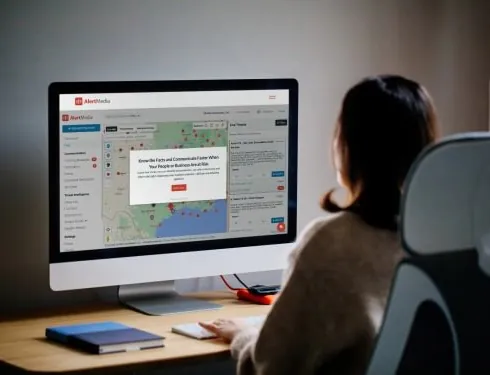
Take a virtual tour of AlertMedia, the only unified Risk Intelligence and Response platform.
| What’s New at a Glance |
|---|
Adds smarter trip automation with auto-assignment and more flexible travel brief delivery. |
Simplifies SMS creation, improves visibility of MMS replies, and adds precise timestamps of survey responses. |
Adds a loading indicator to make dashboard updates easier to interpret. |
Strengthens template permission enforcement. |
Fixes a geofencing issue affecting location-based notifications. |
Below is a closer look at each update, including what changed and why it matters for your team.
Travel Risk Management
Three updates make traveler management more efficient while improving data accuracy.
Auto-assign unassigned trips
Unassigned trips can now be auto-assigned with a single click. Instead of manually matching orphaned trips to travelers, admins can now resolve them in one action.
This reduces administrative effort and helps keep traveler data organized.
More flexible travel brief delivery
Organizations now have more control over when and how travel briefs are sent, making it easier to support different business and traveler workflows.
Fixed: Trip-merging logic
Fixed an issue where trip-merging logic could incorrectly mark separate trips as inactive or deleted.
This update helps ensure trips remain accurate and visible throughout their lifecycle.
Emergency Communication
Three updates make notifications easier to create and improve response visibility.
SMS auto-conversion from rich text
When you add SMS as an additional channel to a rich text email notification, AlertMedia now automatically converts the message to plain text.
Previously, admins had to manually rewrite SMS content. This update eliminates that extra step.
MMS image replies display correctly
MMS image replies now display properly in the admin view, allowing admins to see recipient responses without workarounds.
Precise timestamps on survey exports
Survey exports now include the exact response time instead of a generic “less than 30 minutes” value.
This provides more accurate data for reporting and post-incident analysis.
Threat Intelligence
One dashboard improvement makes loading activity easier to understand.
Dashboard loading indicator
The Threat Intelligence bar on the Dashboard now displays a loading spinner while data is being fetched.
Previously, the bar could appear blank during loading, making it difficult to tell whether data was still updating. The spinner clearly indicates when information is actively loading.
Incident Response
One permissions update strengthens template governance.
Fixed: Template permissions
Fixed an issue where users without create or edit permissions could still modify Incident Response templates.
Permission controls are now correctly enforced, helping ensure templates can only be managed by authorized users.
Platform
One platform update improves the accuracy of location-based notifications.
Fixed: Geofencing user visibility
Fixed an issue where certain users weren’t appearing on the map or being correctly captured by geofences.
This ensures geofenced notifications reach the appropriate users more reliably.
Help shape what’s next We ship updates on a rolling basis to continuously improve the AlertMedia platform. Have feedback or a feature request? Share it with us in the Customer Community. |
AlertMedia, Risk Intelligence and Response