
By AlertMedia, Risk Intelligence and Response

Emergency Management Aug 28, 2026
Natural Language Emergency Planning Tool
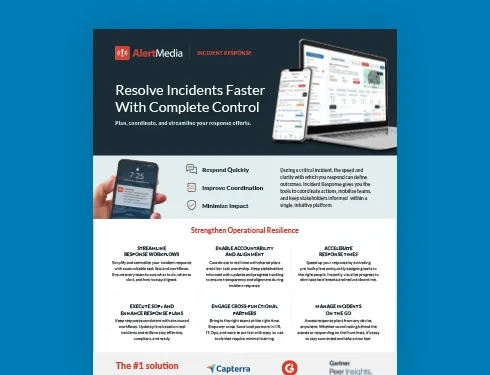
Incident Response Key Feature Guide
Create a customized, crisis-ready framework to keep your organization running through any disruption.
Corporate security and business continuity teams looking for a natural language emergency planning tool want to describe a scenario in plain language and get a usable plan back, not a list of generic advice. AlertMedia’s AI Plan Builder does exactly that: practitioners describe a scenario, such as a hurricane response for a specific facility, and the assistant builds an editable response template inside Incident Response, populating the incident description, response tasks, and suggested owners to match.
With a natural-language planning tool, corporate security and business continuity teams can describe what they need in their own words instead of translating that need into a rigid form or a blank template first.
AlertMedia combines natural-language plan generation, targeted plan editing, and current-guidance validation inside AI Plan Builder, so a single description can take a plan from idea to deployable draft.
Why Plain-Language Planning Matters for Corporate Security and Business Continuity Teams
- Teams often know exactly what they need in a plan, but translating that need into a structured template takes time and planning expertise most teams don’t have to spare.
- A healthcare team building a plan for a clinical emergency and an IT security team building a cybersecurity response plan each need very different structures, and a generic template doesn’t reflect that.
- Administrative updates, like reassigning every facilities-related task to a new owner, should not require editing each task individually.
- Teams that are comfortable describing a problem out loud are not always comfortable building a formal plan document, and a tool that only accepts structured form fields doesn’t meet them where they are.
How AlertMedia Helps
| Persona Challenge | AlertMedia Capability | Outcome |
| Turning a described scenario into a structured plan | AI Plan Builder—natural-language generation | Describe a scenario, such as a facility-specific hurricane response, and get a structured, editable plan back. |
| Improving an existing plan with a specific instruction | AI Plan Builder—natural-language editing | Use a plain-language instruction to update locations, response-team assignments, or task owners without editing each line. |
| Administrative changes across many tasks at once | AI Plan Builder—bulk instruction handling | A single instruction reassigns related tasks and adds reminders, instead of editing task by task. |
| Confirming plan language covers current standards | AI Plan Builder—Validate | Compare plan language against current compliance and regulatory guidance, with optional web search, and add missing tasks. |
| Reviewing what changed after using natural-language input | Change log and revert | Every AI-made edit appears in a change log, and users can revert changes made during the session. |
The common thread across these capabilities is that natural language works both directions—for building something new and for changing something that already exists. A team never has to choose between the convenience of describing what they need and the precision of a structured plan; AI Plan Builder is designed to produce both from the same input.
What Corporate Security and Business Continuity Teams Can Achieve With AlertMedia
| Current State | With AlertMedia |
| Describing a need in plain language, then reformatting it into a rigid template manually. | Describing a need in plain language and getting a structured template directly. |
| Reassigning tasks after a personnel change means editing every line. | A single instruction reassigns related tasks and adds reminders. |
| Improving a plan means rewriting sections from scratch. | A specific instruction updates only what needs to change. |
| Reviewing AI-made edits requires guesswork about what changed. | A change log shows every edit, with the option to revert during the session. |
| Different incident types need entirely different plan structures built by hand. | Describing the scenario produces a structure suited to it, whether a clinical emergency, a cybersecurity incident, or a hurricane response. |
“AlertMedia helps us obtain information and respond to events in real time. It’s incredibly easy to use and prevents us from overcomplicating things.” — Gianetta Jones, Coca-Cola United
For teams considering whether a natural-language tool will actually be easy to use day to day, this reflects the same simplicity customers report across the AlertMedia platform: describing what’s needed in plain language, and getting a usable result back.
- New admins train on the AlertMedia platform in about 20 minutes.
- AlertMedia has been named a Gartner Peer Insights™ Customers’ Choice.
Frequently Asked Questions
- What is a natural language emergency planning tool? A natural language emergency planning tool lets a practitioner describe a scenario or an instruction in plain language and receive a structured, usable output in return, rather than filling out a rigid form. AlertMedia's AI Plan Builder works this way inside Incident Response, turning a description into an editable response plan.
- How does AlertMedia's AI Plan Builder use natural language to build a plan? A practitioner describes a scenario, such as a hurricane response for a specific facility, and AI Plan Builder generates a structured plan with an incident description, response tasks, and suggested owners already populated.
- Can I use natural language to update an existing plan, not just build a new one? Yes. AI Plan Builder supports natural-language instructions for improving an existing plan, such as updating locations, reassigning tasks, or adding missing steps, without editing the plan line by line.
- What kinds of scenarios can a natural-language planning tool handle? AI Plan Builder can generate plans for a wide range of scenarios, including building evacuations, civil unrest, cybersecurity incidents, flooding, hurricanes, lockdowns, travel incidents, and wildfires, in addition to any scenario a team describes in its own words.
- Does the tool make changes automatically, or can our team review them first? AI Plan Builder makes changes inside a non-blocking panel with a change log showing every edit, and teams can revert AI-generated changes during the session. The practitioner reviews and owns every plan before it's deployed.
- How is a natural-language planning tool different from a template library? A template library gives teams a fixed starting point they still have to customize by hand. A natural-language tool builds and edits the plan based on what the team actually describes, including administrative changes that would otherwise require editing many tasks individually.
- Does the assistant check plans against current guidance in plain language too? Yes. AI Plan Builder's Validate step compares a plan against current compliance requirements, regulatory guidance, and industry standards, with optional web search for current information, and can add missing tasks based on the gaps it finds.
- Do we need planning expertise to use a natural-language planning tool effectively? No. The tool is designed so a description of the scenario or the change needed is enough to produce a structured starting point. Planning expertise still matters for reviewing and refining the result, but it is no longer a prerequisite for producing a usable first draft.
Download Our Incident Response Key Feature Guide
Create a customized, crisis-ready framework to keep your organization running through any disruption.

AlertMedia, Risk Intelligence and Response