By AlertMedia, Risk Intelligence and Response

Emergency Management Jul 06, 2026
Incident Response Platform for Business Continuity Teams
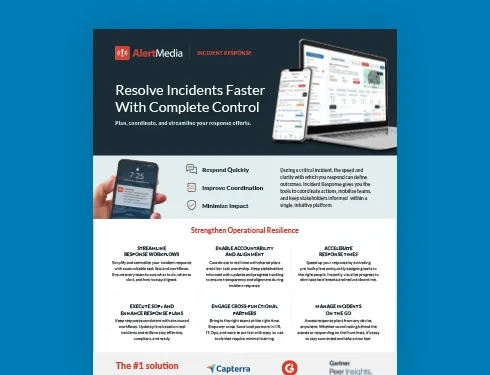
Incident Response Key Feature Guide
Create a customized, crisis-ready framework to keep your organization running through any disruption.
An incident response platform for business continuity teams gives BC and operational resilience leaders a way to turn a documented continuity plan into a coordinated, cross-functional response, instead of relying on a plan that only gets tested once a real disruption is already underway. For teams under pressure to demonstrate operational resilience for compliance, and not just document it, the right platform connects plan activation, cross-functional task coordination, and employee communication in a single workflow. This page covers what business continuity teams should look for in an incident response platform and how AlertMedia’s platform supports each stage of execution.
Why Business Continuity Teams Need a Dedicated Incident Response Platform
Business continuity and operational resilience leaders carry a specific kind of pressure: the plan has to work, not just exist. That responsibility runs into a familiar set of obstacles.
- Maintaining continuity during a disruption depends on more than a written plan. Without a way to execute it, a business continuity plan is a document, not a response.
- Identifying threats to business operations early is difficult when that information lives in a different system than the one used to coordinate the response.
- Coordinating response across functions, HR, IT, operations, and facilities, is hard when each team works from its own version of the plan and its own communication tool.
- Demonstrating regulatory compliance for operational resilience mandates means proving a response actually happened as documented, not reconstructing it after the fact.
Operational resilience isn’t theoretical. For many organizations, it’s a regulatory and business requirement, and regulated industries in particular, financial services with FFIEC-aligned expectations, healthcare systems, and critical infrastructure operators, tend to have the most formalized operational resilience functions. But the underlying need, a plan a team can actually execute under pressure, applies horizontally across industries.
What to Look for in an Incident Response Platform for Business Continuity Teams
An incident response platform built for business continuity execution, not just documentation, should deliver on a specific set of requirements:
- A way to turn a business continuity plan into a deployable playbook, so activating the plan doesn’t mean starting from a static document.
- Cross-functional participation from HR, IT, operations, and facilities without requiring specialized training, since a continuity response rarely stays contained to one department.
- Audit-ready documentation built into the workflow, so compliance and after-action reporting don’t require reconstructing a timeline after the incident.
- Integrated communication that keeps employee notification inside the same platform as task coordination, rather than a separate tool.
- The ability to scale across business units and locations without adding headcount to the continuity function.
The table below frames the difference between a documented plan that has to be manually activated and a platform built to execute it.
| Process Stage | Legacy Fragmented Approach | Unified Incident Response Platform |
| Plan activation | The business continuity plan is a static document, reviewed periodically but rebuilt from scratch when an incident starts. | Rapid Deployment Templates turn the plan into a response that deploys in one tap, with task ownership already defined. |
| Cross-functional coordination | HR, IT, operations, and facilities coordinate through separate channels, each working from their own version of the plan. | Custom Task Assignment brings every function into one incident workflow with clear, role-based ownership. |
| Employee communication | Notifications go out through a separate system, disconnected from the response plan itself. | Communication is coordinated within the same platform as the response, keeping the team and the message aligned. |
| Impact visibility | Affected teams, sites, or functions are assessed manually as the situation unfolds. | Dynamic Impact Area Monitoring shows what’s affected in real time as conditions change. |
| Compliance documentation | Audit and after-action documentation is reconstructed after the fact from emails, call logs, and notes. | Actionable Post-Incident Reporting generates an audit-ready report automatically, with action logs and timelines. |
The AlertMedia Approach: Built Around the FACTOR Framework
AlertMedia gives business continuity and operational resilience teams a way to turn a documented continuity plan into a coordinated, cross-functional response: one platform for planning, executing, communicating, and reporting, instead of a plan in one system and the tools to run it in several others. Incident Response is built to work together with Emergency Communication, so activating a plan and notifying the people affected by it happen inside the same workflow rather than as separate steps.
AlertMedia structures that response around the FACTOR framework, its proprietary approach to incident response planning. The tagline is simple: start simple, stay adaptable, get better with every incident.
| FACTOR Step | What It Means | How AlertMedia Supports It |
| Frame the problem | Clearly define what is happening, who is affected, where, and how severe. | Pre-built response plans give the team a shared starting point, so framing the disruption doesn’t depend on one person’s institutional knowledge of the continuity plan. |
| Assess priorities | Triage what needs to happen now, what can wait, and what is at risk if action is delayed. | Dynamic Impact Area Monitoring shows which teams, sites, or functions are actually affected, so priorities are based on real exposure, not assumptions. |
| Coordinate the response | Define roles, activate the right people, and establish a central source of truth. | Rapid Deployment Templates activate the continuity plan in one tap, with task ownership already defined across departments. |
| Task and track | Assign tasks with clear owners and deadlines, and track progress as it happens. | Custom Task Assignment gives HR, IT, operations, and facilities clear ownership within the same incident workflow, without specialized training. |
| Organize communication | Plan internal updates, external messaging, and targeted notifications at every phase. | Emergency Communication keeps employee notification inside the same platform as the response, so the message and the plan stay aligned. |
| Reflect and improve | Hold a post-incident review, gather feedback, and update plans. | Actionable Post-Incident Reporting generates an audit-ready report automatically, with action logs and resolution timelines, to support compliance and After-Action Reviews. |
Why Business Continuity Teams Choose AlertMedia
More than 3,500 organizations in over 150 countries rely on AlertMedia, and business continuity teams in particular point to a few specific outcomes:
- Customers report responding 25+ minutes faster once they move to AlertMedia’s unified workflow.
- New admins are trained in roughly 20 minutes, which matters for a cross-functional tool that HR, IT, and operations partners all need to use during a disruption.
- Post-Incident Reporting is built into the workflow, so demonstrating compliance with operational resilience mandates doesn’t require a separate reporting process.
AlertMedia has also been named a Gartner Peer Insights™ Customers’ Choice.
“AlertMedia helps us get our crisis response team together quickly when there’s an incident so we can rapidly communicate important messages to thousands of people across email, text, phone, and more. That saves us a lot of time — it’s a labor-saving solution.”
— Matt McMahan, Sr. Manager of Business Continuity, Texas Roadhouse
Incident Response Platform FAQs
- What is an incident response platform for business continuity teams? An incident response platform for business continuity teams is software that turns a documented continuity plan into a coordinated response, so a team can activate the plan, assign tasks across departments, notify employees, and document the response from a single system rather than reconstructing each step manually.
- How is an incident response platform different from a business continuity plan? A business continuity plan is the document that defines what should happen during a disruption. An incident response platform is the software that executes it, deploying the plan as a task-based workflow, coordinating the people responsible for each part of it, and recording what actually happened for compliance and after-action review.
- Can an incident response platform integrate with emergency communication tools? Yes. AlertMedia's Incident Response works together with Emergency Communication, so notifying employees is part of the same workflow used to coordinate the response, rather than a separate system that has to be updated manually.
- How does an incident response platform support operational resilience compliance? AlertMedia's Actionable Post-Incident Reporting generates an audit-ready report automatically, with action logs, sent messages, and resolution timelines, supporting after-action reviews and the documentation operational resilience mandates require.
- Does an incident response platform work across business units and locations? Yes. AlertMedia is used by organizations in more than 150 countries to coordinate response across multiple business units, functions, and locations from a single platform, including in regulated industries such as financial services and healthcare.
Download Our Incident Response Key Feature Guide
Create a customized, crisis-ready framework to keep your organization running through any disruption.
AlertMedia, Risk Intelligence and Response