
By AlertMedia, Risk Intelligence and Response

Emergency Management Aug 26, 2026
Incident Response Plan Generator
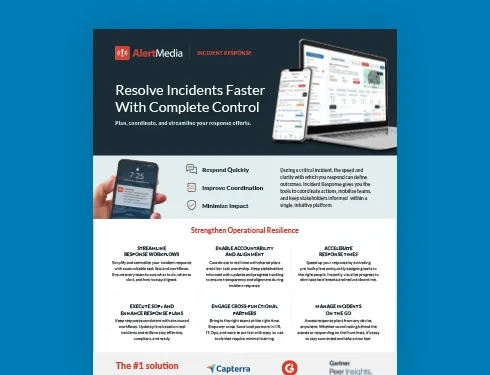
Incident Response Key Feature Guide
Create a customized, crisis-ready framework to keep your organization running through any disruption.
Corporate security and business continuity teams researching an incident response plan generator are typically looking for software that turns a scenario or a sample template into a structured, ready-to-use plan without a manual build process. AlertMedia’s AI Plan Builder is a generative AI plan generator built directly into Incident Response. It drafts a plan from an AlertMedia sample scenario or a plain-language description, then keeps that plan editable and deployable inside the same template editor teams already use to run incidents.
With a generator built into the platform, corporate security and business continuity teams can produce a usable first draft in minutes instead of assembling one across documents, spreadsheets, and separate reviews.
AlertMedia combines AI Plan Builder with a response plan importer and Rapid Deployment Templates, so a plan generator fits into a single planning-to-execution workflow rather than a separate standalone tool.
Why Corporate Security and Business Continuity Teams Look for a Plan Generator
- Teams may inherit outdated templates, struggle to keep documentation current as the organization changes, or simply not know where to start.
- Some teams already have plans saved as Word or PDF documents that need to be mapped into a usable system, not built again from scratch.
- Manually building a plan for every incident type, facility, or team structure does not scale as an organization grows.
- Even when a team knows what a good plan should include, translating that knowledge into a structured document with clear tasks and owners is a different skill than running the response itself.
How AlertMedia Helps
| Persona Challenge | AlertMedia Capability | Outcome |
| Starting a plan from a blank page | AI Plan Builder — Build | Generates a structured plan from an AlertMedia sample scenario or a natural-language description. |
| Existing plans are outdated, generic, or built for a different facility | AI Plan Builder — Improve | Refines descriptions, adds missing steps, and tailors plans to a specific team or location without manual rewrites. |
| Existing plans already live in a document, not a system | Response plan importer | Uploads an existing plan document and uses AI mapping to generate a template draft from it. |
| Plans need to reflect current compliance and industry guidance | AI Plan Builder — Validate | Compares plans against current guidance and flags gaps, with optional web search for current standards. |
| Deploying a generated plan when an incident starts | Rapid Deployment Templates | Deploy the finished plan in one tap with tasks and ownership already defined. |
Together, these capabilities cover both starting points a team might have: no plan at all, or a plan that already exists somewhere outside the system that will run the incident. Either way, the output is the same—a structured, editable plan inside the platform teams already use to coordinate a response, deploy tasks, and report on outcomes afterward, rather than a document that has to be re-keyed into a separate system before it’s usable.
What Corporate Security and Business Continuity Teams Can Achieve With AlertMedia
| Current State | With AlertMedia |
| A “generator” that produces general advice text to copy elsewhere. | A generator that writes directly into a deployable, editable template. |
| Existing plan documents sit outside the system that runs the incident. | The response plan importer maps existing documents into the same platform used to execute the plan. |
| Generated content needs to be manually reformatted before it’s usable. | Generated plans are immediately structured, with tasks, owners, and sections already in place. |
| Confirming a generated plan meets current standards is a separate step. | Validation against current guidance happens in the same workflow the plan was built in. |
| A generic plan template doesn’t reflect a specific facility or team. | Natural-language input tailors the plan to a specific location, industry, and team structure. |
“AlertMedia helps us obtain information and respond to events in real time. It’s incredibly easy to use and prevents us from overcomplicating things.” — Gianetta Jones, Coca-Cola United
For teams researching a plan generator, this reflects how customers experience the broader Incident Response platform: a generated plan lives in the same easy-to-use system the team already runs incidents from, not a separate output that has to be reformatted and re-imported.
- New admins train on the AlertMedia platform in about 20 minutes.
- AlertMedia has been named a Gartner Peer Insights™ Customers’ Choice.
Frequently Asked Questions
- What is an incident response plan generator? An incident response plan generator is software that produces a structured response plan automatically, rather than requiring a team to build one manually from a blank template. AlertMedia's AI Plan Builder generates a plan from a sample scenario or a plain-language description, directly inside the Incident Response platform.
- How does an AI-powered plan generator differ from a static template? A static template gives teams a starting structure they still have to fill in manually. An AI-powered generator like AI Plan Builder produces a populated draft—incident description, tasks, and suggested owners—tailored to what the team describes.
- How does AlertMedia's AI Plan Builder generate a plan? Teams start from an AlertMedia sample plan or describe a scenario in natural language, and AI Plan Builder drafts a structured, editable template inside the platform. The tool can also improve, validate, and maintain the plan afterward.
- Can a generated plan be edited after it's created? Yes. A generated plan is a fully editable template, not a locked output. Teams can refine it manually or continue using AI Plan Builder to make targeted changes, with a change log tracking every AI-made edit.
- Can I generate a plan from an existing document instead of starting from scratch? Yes. AlertMedia's response plan importer uploads an existing response plan document and uses AI mapping to generate a template draft from it, which is a separate but complementary capability to building a plan from scratch with AI Plan Builder.
- What should teams look for in an incident response plan generator? Look for a generator that produces an editable, deployable plan rather than generic text, supports both building new plans and improving existing ones, and validates plan content against current compliance and regulatory guidance.
- Does a generated plan account for our specific facilities and team structure? Yes. Because AI Plan Builder works from a natural-language description, teams can specify the location, industry, and team structure they need the plan tailored to.
- Is a generated incident response plan the same as a final, deployable plan? A generated plan is a complete first draft with structure, tasks, and suggested owners already in place, but it should still be reviewed by the team before deployment, the same way any plan would be reviewed regardless of how it was originally written.
Download Our Incident Response Key Feature Guide
Create a customized, crisis-ready framework to keep your organization running through any disruption.

AlertMedia, Risk Intelligence and Response