
Most organizations only find out their emergency notification vendor was the wrong choice after an incident. Here’s how to make a confident decision before that happens.

Communications Apr 23, 2026
How to Evaluate Emergency Mass Notification Vendors Without Getting Burned
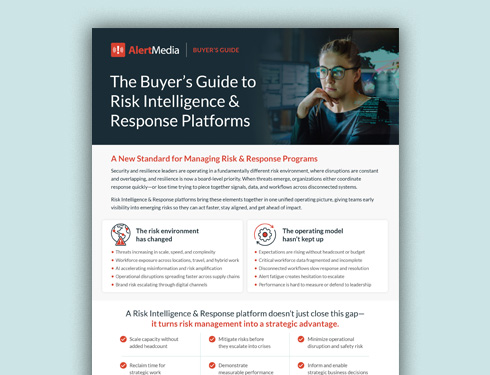
The Buyer’s Guide to Risk Intelligence & Response Platforms
Evaluate vendors, compare capabilities, and choose a solution that helps you detect threats earlier and respond faster.
Selecting an emergency mass notification system is one of the most consequential technology decisions your organization will make. Get it right, and you have a reliable partner that helps you protect your people, maintain operations, and respond confidently to any situation. Get it wrong, and you’re stuck with a system that’s clunky, unreliable, or outgrown—and you may not find out until you need it most.
The evaluation process itself is where many organizations get burned. They focus too heavily on price, rely too much on vendor demos, or skip the questions that would reveal gaps. This guide walks you through what to prioritize in your search—and what to ask vendors—so you can choose with confidence.
The Buyer’s Guide to Risk Intelligence & Response Platforms
Evaluate vendors, compare capabilities, and choose a solution that helps you respond faster.
Start With an Honest Assessment of Your Own Needs
Before you talk to a single vendor, get clear on what you actually need. This sounds obvious, but many organizations skip the internal work and end up evaluating vendors against vague criteria—which makes it nearly impossible to compare options meaningfully or recognize a poor fit.
Work through these questions with stakeholders across your organization before you start your search:
- How large is the audience you’ll need to communicate with, and how geographically dispersed are they?
- What threats and hazards are most relevant to your employees and operations?
- Which communication channels do your employees actually use—and do those vary by location, role, or generation?
- What internal systems (HRIS, travel management, Active Directory) would need to integrate with a new platform?
- What does your organization look like five to ten years from now? Will your needs grow significantly?
- What manual processes could an emergency communication system automate?
- How successful have your past emergency communications been, and where did they fall short?
- What are the technical capabilities of the people who will administer the system?
One important mindset check: Small and mid-sized organizations often convince themselves that their needs are too simple for a modern enterprise system. This is a mistake. Even if you’re starting with basic SMS and voice alerts, you want enterprise-grade speed, reliability, and infrastructure behind those messages. The cost of under-building is much higher than that of over-building when a real emergency occurs.
What to Evaluate in Any Vendor
When you’re ready to start reviewing vendors, here are the dimensions that matter most.
Speed and reliability of delivery
An emergency notification system that doesn’t reliably deliver messages is worse than useless—it’s dangerous, because it creates false confidence. Ask every vendor directly how they ensure delivery during a crisis, including during infrastructure outages, network congestion, or widespread emergencies when carrier volume spikes.
What to look for: multi-carrier redundancy, delivery confirmation and read receipts, and demonstrated uptime metrics. A vendor that can’t speak specifically to their delivery architecture and reliability record should raise immediate concerns.
Multichannel reach
Relying on a single communication channel is one of the most common and costly mistakes organizations make. Email has its place, but if a power outage or IT failure takes it down, a single-channel system leaves your people in the dark.
Look for a platform that can simultaneously deliver alerts across SMS/text, voice calls, email, mobile push notifications, desktop alerts, and any channels your organization uses internally. The ability to reach people through multiple channels in parallel—not just sequentially—is what ensures no one is missed.
FROM ALERTMEDIA CUSTOMERS: Response time improvements are most significant when organizations move from single-channel or email-primary systems to true multichannel delivery—reaching people on the device and channel they’re most likely to see first.
Two-way communication
Sending a message is only half the job. In a real emergency, you need to know who received it, who’s safe, and what’s happening on the ground. Two-way communication capabilities allow you to gather responses, confirm safety, and collect real-time intelligence from the people you’re trying to protect.
Ask vendors to show you specifically how two-way communication works across different channels—not just in their mobile app, but also via SMS and voice.
Ease of use under pressure
Emergency notification software needs to be usable by someone who is stressed, potentially working remotely, and may not have touched the system in weeks. If the interface requires significant training or navigation time to send an alert, it will fail when it matters most.
Ask for a hands-on demo with real scenarios—not a guided walk-through. See how long it takes to compose and send an alert from scratch. Then ask: What’s the process if your primary administrator is unreachable? Can someone else operate it without a significant ramp-up?
Location-based targeting
Not every emergency affects everyone. A weather event in one city, a building evacuation, or a threat near a specific facility requires targeted communication—not a company-wide blast that creates noise and erodes trust over time.
Modern platforms use location data, GPS tracking, geofencing, and dynamic audience segmentation to help you identify exactly who is at risk and communicate accordingly. Ask vendors how their systems use location data and how granular the targeting can be.
Audience management and data sync
Your contact data is only as good as your ability to keep it up to date. Manually managing employee lists is error-prone and time-consuming, and stale data can lead to people being missed in an emergency.
Look for automated syncing with your HRIS or Active Directory, and ask how the system handles new hires, departures, and role changes. Find out whether you can create dynamic audience groups—segments that update automatically based on attributes like department, location, or employment status—rather than static lists that require manual upkeep.
Threat intelligence
The best systems don’t just send messages—they help you know when to send them. Integrated threat intelligence monitors for severe weather, civil unrest, infrastructure incidents, and other hazards in real time and alerts you when something is approaching your people’s locations.
Ask vendors whether threat monitoring is built into the platform or requires a separate product, and how alerts get generated—automated, manual, or both.
Integration capabilities
An emergency communication system that exists in isolation from the rest of your technology stack creates friction and introduces lag. Ask each vendor about their pre-built integrations—particularly with your HRIS, SSO providers (like Okta or Azure Active Directory), collaboration tools (Slack, Microsoft Teams), and any other systems that hold employee data or are part of your incident response workflow.
Questions to Ask Every Vendor
Beyond evaluating the platform itself, how a vendor answers your questions tells you a great deal about what it will be like to work with them. Here are the questions worth asking in every evaluation.
What does implementation actually look like for an organization like ours?
A generic answer here is a red flag. An experienced vendor should take your specific size, industry, and technical environment into account and give you a realistic timeline and process. Modern platforms should be operational within days to weeks—not months. Ask about setup fees, dedicated implementation support, and what happens if something goes wrong during onboarding.
Who is our point of contact after we go live, and what does ongoing support look like?
The sales experience tells you almost nothing about the support experience. Ask specifically about your Customer Success Manager—what their role is, how available they’ll be, and what proactive support looks like. Ask whether you can be introduced to your CSM before you sign. A vendor confident in their support team won’t hesitate.
How will our people be added and kept current in the system?
This question reveals how mature the vendor’s data management approach is. You should be able to easily import data, set up automated syncs with your HR systems, and update or remove users without IT involvement. Ask about self-registration options and API access for custom integrations.
What is your Net Promoter Score, and can you share it?
NPS is one of the cleanest proxies for overall customer satisfaction. A vendor that values its customers and has the results to back it up should be able to give you a specific number, along with the context to support it. Hedging or deflecting on this question is informative. For reference, top-tier vendors in this space post NPS scores in the +80s and customer satisfaction rates above 95%—if a vendor can’t meet that bar or won’t share the number, that tells you something.
Can you show me a real example of a customer using [specific feature]?
Anyone can claim a feature exists. Ask for a concrete customer example—not a case study, but a specific use case with real context. This tests both whether the feature actually works as advertised and whether the sales team knows their customers well enough to cite real examples.
How often do you update and expand the platform?
Communication technology evolves quickly, and so do the ways people work and the threats organizations face. A vendor that isn’t continuously investing in their product is one you’ll likely outgrow. Ask about the product roadmap, recent releases, and how customer feedback shapes development priorities.
What happens when your system is needed during a widespread emergency?
Infrastructure stress-tests a platform. Ask specifically what happens to delivery speeds and reliability when a regional disaster causes massive simultaneous notification volume across many customers. A good vendor will have a clear, technical answer—not a marketing one.
Common Mistakes to Avoid
How to choose the best emergency mass notification system for your organization—what not to do:
Choosing based on price alone
Cost matters, but it should be evaluated relative to capability and reliability. A cheaper system that fails during an emergency isn’t a savings—it’s a liability. Look for transparent, subscription-based pricing with no hidden fees, but don’t let price drive the decision at the expense of capabilities that matter.
FROM ALERTMEDIA CUSTOMERS: Organizations switching from legacy emergency notification platforms report an average 25-minute improvement in emergency response time, $373K in avoided costs over three years, and a 67% reduction in total cost of ownership.
Staying with a legacy system out of inertia
Organizations frequently underestimate the true cost of their outdated system: slower response times, lower adoption, manual workarounds, and legal exposure. Modern platforms can often be stood up in a day. Don’t let the fear of change keep you locked into something that isn’t serving your people.
Not planning for growth
The system you need today should not be the ceiling of what you can use tomorrow. Think about where your organization will be in five to ten years—more locations, more employees, potentially more complex threats—and evaluate whether each vendor can scale with you.
Starting the evaluation too late
Begin your search well before your current contract expires. Rushing a vendor evaluation almost always means settling for something that isn’t the best fit, or, worse, leaving a coverage gap.
Over-relying on the demo
Vendor demos are optimized to impress. Ask to go off-script. Request a sandbox environment. Find out what it’s like for a new administrator with no guidance. The real test is whether the system works for a real person under real pressure—not whether it looks good in a controlled presentation.
What a Strong Vendor Partnership Looks Like
AT SCALE: AlertMedia customers protect 8 million employees across 150+ countries—experience that informs how the platform performs when and where it matters most.
The best emergency notification vendors don’t just sell you software—they become a genuine partner in your emergency preparedness strategy. That means helping you think through how the system integrates into your business continuity plan, sharing best practices from other customers in your industry, and staying engaged long after the contract is signed.
Look for a vendor whose mission aligns with yours. Ask about their company culture, their investment in customer success, and whether their team has real emergency management expertise or is purely a technology organization. The difference matters when you’re dealing with a real incident and need guidance, not just a help ticket.
Final Checklist: Evaluating Emergency Notification Vendors
Before making your final decision, confirm you can answer yes to each of the following:
- Does the platform deliver across multiple channels simultaneously?
- Does it integrate with your existing HR and IT systems?
- Can you target audiences based on location and dynamic attributes?
- Does it include real-time delivery reporting and two-way communication?
- Is the interface simple enough for any administrator to use under pressure?
- Does the vendor have demonstrated, verifiable reliability at scale?
- Can you speak with existing customers in your industry before signing?
- Do you have a clear picture of implementation, onboarding, and ongoing support?
- Is the pricing transparent with no hidden fees?
- Can the platform grow with your organization over the next five to ten years?
Choosing the right emergency notification vendor isn’t just a technology decision—it’s a commitment to the safety of your people. Take the time to evaluate thoroughly, ask the hard questions, and don’t settle for a system you’ll have to work around.
The Buyer’s Guide to Risk Intelligence & Response Platforms
Evaluate vendors, compare capabilities, and choose a solution that helps you respond faster.

AlertMedia, Risk Intelligence and Response



![Disaster and Emergency Communication Plan—5 Steps [+Template]](https://www.alertmedia.com/wp-content/uploads/2022/03/BLOG-Emergency-Communications-Plan-V1.jpg)