
By AlertMedia, Risk Intelligence and Response

Safety and Security Jul 31, 2026
Best Practices for Implementing Travel Risk Management Software in Enterprise Organizations
Travel Risk Management Key Feature Guide
Explore how AlertMedia can help keep your travelers informed and out of harm’s way.
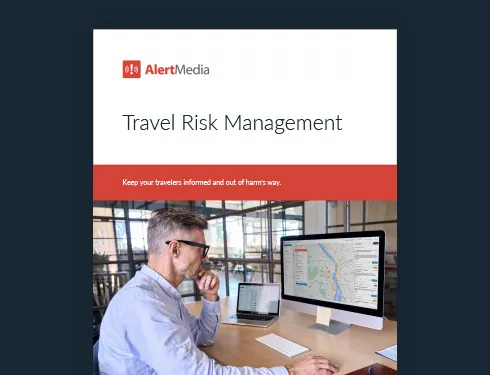
Table of Contents
- Why Travel Risk Management Implementation Matters
- 7 Best Practices for Implementing Travel Risk Management Software
- Enterprise Travel Risk Management Implementation Checklist
- What to Look for in Enterprise Travel Risk Management Software
- How AlertMedia Supports Enterprise Travel Risk Management
- Build Travel Risk Management Into the Security Program
The best practices for implementing travel risk management software in enterprise organizations include defining clear program ownership, assessing travel exposure before configuring workflows, establishing a reliable source of traveler data, preparing travelers with destination-specific information, configuring localized threat monitoring and alerts, building two-way communication and response workflows, and testing the program on a regular basis. Enterprise organizations add complexity to this work—multiple travel providers, decentralized booking practices, employees across many countries, and overlapping team responsibilities—so a successful rollout depends as much on process design as on the software itself. This guide walks through each practice in order, then outlines what to look for in a Travel Risk Management platform built to support it.
Travel Risk Management Key Feature Guide
Explore how AlertMedia can help keep your travelers informed and out of harm’s way.
Why Travel Risk Management Implementation Matters
Travel risk management software can help an organization identify travel-related threats, locate affected travelers, send timely alerts, and coordinate assistance. But software alone does not create a reliable travel safety program. The quality of the implementation determines whether the system becomes part of daily operations or sits unused until a serious disruption occurs.
Enterprise organizations face added complexity. They may have multiple travel providers, decentralized booking practices, employees working across many countries, and several teams with overlapping responsibilities. A successful implementation accounts for that complexity from the beginning and turns it into a clear, repeatable operating model.
Common implementation gaps
- Outdated itinerary data. One-time imports and manual spreadsheets quickly become inaccurate, leaving security teams without a dependable view of who is traveling and where.
- Unclear ownership. When corporate security, business continuity, human resources, and travel teams all participate but no one owns the program, response gaps are difficult to avoid.
- Low traveler engagement. Programs that depend on employees checking a portal or researching destinations themselves are easy to ignore.
- Untested escalation procedures. A program that has never tested the path from threat detection to traveler outreach carries unknown risk into its first real incident.
- Limited reporting. Without a record of briefings, alerts, responses, and assistance, teams cannot easily evaluate performance or demonstrate consistent duty-of-care practices.
7 Best Practices for Implementing Travel Risk Management Software
A strong implementation follows a sequence. Each practice below supports the next, helping organizations build a program that is accurate, scalable, and useful to travelers.
1. Define program ownership and decision rights
Assign a clear program owner before configuring the software. Corporate security often leads the program, with support from business continuity or operational resilience, human resources, legal, and the corporate travel team. Document who monitors threats, approves traveler outreach, responds to assistance requests, communicates with executives, and reviews program performance. Shared participation works best when accountability is explicit.
2. Assess travel exposure and program requirements
Map the organization’s travel patterns before choosing workflows and alert thresholds. Review common destinations, high-risk locations, executive travel, remote fieldwork, extended assignments, and trips booked outside approved channels. Identify the travel management, human resources information system, identity management, and expense systems that may supply relevant data. This assessment should guide the scope of the rollout and the order in which teams or regions are added.
3. Establish a reliable source of traveler data
Automate itinerary syncing wherever possible. A continuously updated connection to approved travel systems gives security teams a more accurate view of active and upcoming trips than periodic exports or traveler-submitted spreadsheets. Also define how the program will handle off-channel bookings, itinerary changes, cancellations, and incomplete traveler profiles. Accurate data is the foundation for every downstream alert and response workflow.
4. Prepare travelers before departure
Send concise, destination-specific information before each trip. Useful travel briefs can include current safety conditions, cultural considerations, entry or transportation guidance, company procedures, and emergency contacts. Keep the information practical and relevant. Travelers are more likely to engage when the program helps them make better decisions rather than adding another compliance step.
5. Configure relevant monitoring and alerts
Set up localized threat monitoring for active and upcoming travel destinations. Alerts should be specific enough to support action without overwhelming travelers or security teams. Define which incidents warrant traveler notification, staff review, executive escalation, or no action. Document thresholds by threat type and destination risk level so decisions stay consistent across shifts and regions.
6. Create two-way communication and response workflows
Give travelers a simple way to request help from the same channel they use to receive information. Security teams should be able to confirm status, gather additional details, and coordinate support without relying on a long callback chain. Build response playbooks for common travel disruptions such as severe weather, civil unrest, transportation shutdowns, medical emergencies, and lost documents. Each playbook should identify owners, escalation triggers, communication templates, and closure criteria.
7. Test, report, and improve the program
Run tabletop exercises and live communication tests before relying on the program during a real incident. Measure data completeness, briefing delivery, alert response, assistance-request handling, and time to confirm traveler status. Review the program at least annually and after major incidents, changes in travel patterns, new travel providers, or significant organizational changes. Use reporting to identify gaps and update policies, workflows, and traveler education.
Enterprise Travel Risk Management Implementation Checklist
| Program area | Implementation standard |
| Governance | A named program owner, documented responsibilities, and agreed escalation authority. |
| Travel data | Automated itinerary syncing, a process for off-channel bookings, and defined data-quality checks. |
| Traveler preparation | Destination-specific briefings, company procedures, and current emergency contacts. |
| Threat monitoring | Localized intelligence, documented alert thresholds, and 24/7 coverage expectations. |
| Communication | Two-way messaging, traveler assistance requests, status checks, and preapproved templates. |
| Response | Playbooks for common disruptions, clear handoffs, and tested escalation paths. |
| Reporting | Records of trips, alerts, responses, tests, and improvement actions. |
Keep your travelers out of harm's way with AlertMedia's Travel Risk Management.
What to Look for in Enterprise Travel Risk Management Software
The best software should support the operating model above without creating unnecessary manual work. Evaluate whether each provider can support these core requirements:
- Automated travel data integration: The system should keep itinerary data current as bookings change, rather than depending on one-time imports.
- Expert-curated travel briefs: Pre-trip information should be accurate, actionable, and tailored to the destination and organization.
- Localized threat alerts: The software should match relevant threats to active and upcoming travel locations at enterprise scale.
- Traveler monitoring: Security teams should have a clear view of active trips and appropriate options for location-aware support.
- Two-way communication: Travelers should be able to request help, and teams should be able to confirm status during a disruption.
- Configurable workflows: Alert thresholds, recipients, escalation paths, and response steps should reflect the organization’s policies.
- Clear reporting: The system should create an auditable record of preparation, alerts, responses, and program activity.
- Connection to broader security operations: Travel risk data and workflows should work alongside threat intelligence, emergency communication, and incident response processes.
“If your people are traveling, you have a legal duty of care to make sure they stay safe.”
—Delia Midamba, Head of Physical Security, Cloudflare
How AlertMedia Supports Enterprise Travel Risk Management
AlertMedia is a unified risk intelligence and response platform that helps organizations protect their people and operations by detecting emerging threats early and coordinating a fast, organized response across the business. Travel Risk Management connects traveler tracking, destination risk briefings, localized alerts, and two-way communication in the same system organizations use for Threat Intelligence and Emergency Communication.
- Integrated Travel Data syncs itineraries from travel systems so security teams can maintain a current view of active and upcoming trips.
- Travel Briefs provide analyst-curated destination information before departure, including safety, cultural, and emergency guidance.
- Traveler Monitoring combines itinerary-based visibility with optional mobile app location monitoring to support travelers during active trips.
- Localized Threat Alerts notify travelers or safety teams when relevant threats emerge near an active or upcoming travel location.
- Two-Way Communication allows travelers to request assistance and helps security teams confirm status during a disruption.
- Reporting tracks past, active, and upcoming trips to support program review and duty-of-care documentation.
More than 3,500 organizations across 150+ countries use AlertMedia to protect their people and operations. Because Travel Risk Management is part of the broader AlertMedia system, teams can connect travel safety with analyst-verified threat intelligence and multichannel emergency communication instead of managing separate point solutions.
Frequently Asked Questions
- What are the best practices for implementing travel risk management software? Define ownership, assess travel exposure, automate traveler data, prepare employees before departure, configure localized monitoring and alerts, establish two-way communication and response workflows, and test and improve the program through reporting and exercises.
- Who should own an enterprise travel risk management program? A single leader—often within corporate security—should be accountable for the program. Business continuity or operational resilience, human resources, legal, and corporate travel teams should have clearly documented supporting roles.
- What integrations are most important? The highest-priority integration is an automated connection to the organization’s travel booking or travel management systems. Depending on the operating model, human resources, identity management, expense, and emergency communication systems may also be useful.
- How often should travel risk policies be reviewed? Review the program at least annually and after major incidents, meaningful changes in travel patterns, new travel providers, or changes to the organization’s structure or risk tolerance.
- How should organizations measure implementation success? Track data completeness, traveler briefing delivery, alert relevance, response rates, assistance-request handling, time to confirm traveler status, test performance, and completion of improvement actions.
Build Travel Risk Management Into the Security Program
A dependable travel risk management program is not a separate layer around enterprise security. It is part of how the organization identifies threats, communicates with employees, and coordinates response. Clear ownership, current traveler data, proactive preparation, relevant alerts, two-way communication, tested workflows, and consistent reporting turn software into a program employees can trust.
AlertMedia brings these capabilities together in one system, helping security and resilience teams protect employees before, during, and after business travel.
Travel Risk Management Key Feature Guide
Explore how AlertMedia can help keep your travelers informed and out of harm’s way.

AlertMedia, Risk Intelligence and Response


More Articles You May Be Interested In
-

 Safety and Security, Emergency Management20 Business Travel Safety Tips and Guidelines for Employees
 -
 Emergency Management, Safety and SecurityHow the ISO 31030 Framework Enhances Travel Safety and Business Resilience
 -
 Safety and SecurityLocation-Based Weather Alerts to Keep Traveling Employees Safe