
By AlertMedia, Risk Intelligence and Response

Emergency Management Sep 22, 2026
AI Tools for Emergency Response Planning
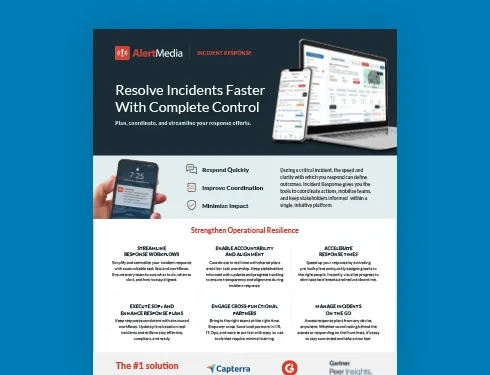
Incident Response Key Feature Guide
Create a customized, crisis-ready framework to keep your organization running through any disruption.
AI tools for emergency response planning use generative AI to turn a scenario description into a structured, editable response plan instead of starting from a blank template. Rather than replacing the planning process, these tools remove the blank-page problem: a team describes what it needs, and the tool drafts the incident description, tasks, and owners to match. For corporate security and business continuity teams, this matters because it shortens the distance between finding a gap in coverage and having a deployable plan that closes it. This page explains what these tools do, the components worth evaluating, how the category works, and how AlertMedia approaches AI-assisted planning inside Incident Response.
Why AI Tools for Emergency Response Planning Matter
Faster time to a usable plan
Building a plan from scratch takes time most planning teams do not have. AI-assisted tools shorten that timeline by drafting a structured starting point from a description, so the team’s time goes into review and refinement instead of a blank page.
More consistent plan quality
Plan quality has traditionally depended on the skill of whoever wrote it. A tool that pairs generative drafting with a structured planning framework keeps plans consistent across writers, departments, and facilities.
A force multiplier for lean teams
Corporate security and business continuity teams are frequently asked to cover more facilities and incident types without a proportional increase in headcount. AI-assisted planning lets a small team produce and maintain more plans without a matching increase in manual effort.
Plans that stay current
A plan is only useful if it reflects the organization as it exists today. Tools that support ongoing refinement, not just initial drafting, make it realistic to keep plans current as facilities, personnel, and guidance change.
Lower training burden for cross-functional contributors
Emergency response plans depend on more than one department. Planning tools built for natural-language input lower the skill floor so HR, IT, Ops, and Facilities can contribute without specialized training.
Key Components of AI-Assisted Emergency Response Planning
Evaluate an AI planning tool against what it should deliver as a category, not any single vendor’s feature list.
| Component | What It Means | Why It Matters |
| AI-assisted plan generation | Turning a scenario description into a structured plan draft | Removes the blank-page starting point |
| Natural-language input | Describing a situation in plain language instead of filling technical fields | Lowers the skill floor for non-specialist contributors |
| Plan validation | Checking a draft plan against current guidance or standards | Confirms the plan will hold up when it is needed |
| Editable, human-reviewed output | AI drafts a plan; a person reviews and finalizes it | Keeps accountability with the practitioner, not the model |
| Integration with execution | The generated plan lives in the same system used to run the incident | Avoids a copy-paste gap between planning and response |
| Change tracking | A visible log of AI-made edits, with the ability to revert | Builds trust in what changed and why |
| Cross-functional usability | Non-specialist teams can use the tool without dedicated training | Planning should not bottleneck on one department |
| Framework-backed structure | A consistent method behind what a complete plan contains | Prevents plan quality from depending on one person’s approach |
How AI-Assisted Emergency Response Planning Works
1. Describe the scenario
The planner describes the situation in plain language or starts from a sample scenario—a facility-specific severe weather event, a clinical emergency, a cybersecurity incident—rather than filling out a rigid form.
2. Generate a first draft
The tool turns that description into a structured, editable plan: an incident description, a task list, and suggested owners, ready for review rather than a blank template.
3. Refine and customize
The planner adjusts the draft—reassigning tasks, adding steps, tailoring it to a specific facility or team—without rewriting the plan from scratch each time something changes.
4. Validate against guidance
Before a plan is finalized, it can be checked against current compliance requirements or industry guidance, surfacing gaps as part of the same workflow instead of a separate review cycle.
5. Maintain as things change
As facilities, personnel, or regulatory guidance change, the plan gets updated in place rather than becoming outdated until the next scheduled review.
Best Practices for Evaluating AI Planning Tools
- Confirm the AI-generated plan is editable, not a fixed output the team cannot adjust.
- Look for a visible change log so every AI-made edit can be reviewed and reverted if needed.
- Prioritize tools that keep the generated plan inside the same system used to run the incident.
- Ask whether cross-functional partners can contribute without specialized training.
- Check whether the tool can refine an existing plan, not only generate new ones.
- Confirm validation checks reference current guidance, not a static rule set.
- Evaluate how consistently the tool applies updates across many facility-specific templates.
- Treat AI-generated plans as a faster starting point for review, not a finished, unreviewed output.
- Still test the plan through tabletop exercises and drills after it is built.
Common Challenges and How to Address Them
| Challenge | Why It Happens | How to Address It |
| Plans start from a blank template | Most planning software does not generate a first draft | Choose a tool that drafts from a sample scenario or a plain-language description |
| Plan quality varies by writer | No shared structure behind what a complete plan contains | Pair AI-assisted drafting with a consistent planning framework |
| Plans go stale | Manual editing makes ongoing maintenance slow to prioritize | Use a tool that supports refinement and validation, not just initial creation |
| Planning and execution live in separate systems | Plans are drafted in one tool and run from another | Keep the generated plan inside the same platform used to execute the response |
How AlertMedia Approaches AI Tools for Emergency Response Planning
AlertMedia’s Incident Response software combines Rapid Deployment Templates, the FACTOR framework, and AI Plan Builder to give corporate security and business continuity teams one connected workflow for building, refining, and validating response plans, instead of a separate planning project every time something changes.
| Planning Need | How AlertMedia Helps |
| Starting a plan without a blank template | AI Plan Builder drafts a structured, editable plan from a sample scenario or a plain-language description. |
| Refining or updating a plan without a manual rewrite | AI Plan Builder refines descriptions, adds missing steps, and updates owners from a single instruction. |
| Validating a plan against current guidance | AI Plan Builder can compare a plan against current compliance requirements and industry guidance. |
| Consistent plan quality regardless of who writes it | The FACTOR framework—Frame, Assess, Coordinate, Task & Track, Organize Communication, Reflect & Improve—structures how every plan gets built. |
| Deploying instantly once an incident starts | Rapid Deployment Templates deploy pre-built plans in one tap, with tasks and ownership already defined. |
| Cross-functional participation without specialized training | Custom Task Assignment gives HR, IT, Ops, and other partners role-based, easy-to-use workflows. |
AI Plan Builder produces an editable plan inside the same Incident Response editor teams already use to run an incident, with a change log showing every AI-made edit and the ability to revert changes made during the session. The practitioner reviews and owns every plan before it is deployed.
New admins train on the AlertMedia platform in about 20 minutes, including the same template editor AI Plan Builder runs inside. AlertMedia has been named a Gartner Peer Insights™ Customers’ Choice.
For a closer look at how AI Plan Builder handles specific parts of the planning workflow, see how AlertMedia evaluates what makes a planning tool effective, how a plan gets generated from a description, how the tool automates the full plan lifecycle, and how natural-language input drives the process.
Frequently Asked Questions
- What are AI tools for emergency response planning? AI tools for emergency response planning use generative AI to turn a scenario description into a structured, editable plan instead of a blank template. AlertMedia's AI Plan Builder does this inside Incident Response, alongside Rapid Deployment Templates and the FACTOR framework.
- How is an AI planning tool different from a static template library? A static template library gives teams a starting document they still have to customize by hand. An AI planning tool generates a first draft tailored to the described scenario and continues to help refine and validate the plan as things change.
- Can an AI-generated plan still be edited by our team? Yes. AI-assisted planning tools should produce an editable draft, not a fixed output. AlertMedia's AI Plan Builder includes a change log showing every AI-made edit and the ability to revert changes, and the practitioner reviews and owns every plan before deployment.
- Do AI planning tools replace tabletop exercises or drills? No. Planning tools help build and maintain the plan; tabletop exercises test whether that plan works in practice. AlertMedia customers commonly use Incident Response for both.
- What should teams look for when evaluating an AI-powered planning tool? Look for natural-language input, the ability to refine existing plans rather than only generate new ones, validation against current guidance, a visible change log, and a workflow that keeps the generated plan inside the system used to run the incident.
- What role does AI play in emergency response planning? AI removes the blank-page starting point and helps keep plans current as conditions change, but it works alongside a structured planning framework and human review, not in place of them. The practitioner remains responsible for what gets deployed.
- How does AlertMedia's AI Plan Builder fit into this? AI Plan Builder is built into AlertMedia Incident Response and generates a plan from a sample scenario or a plain-language description, then supports refining, validating against current guidance, and maintaining that plan as the organization changes.
Download Our Incident Response Key Feature Guide
Create a customized, crisis-ready framework to keep your organization running through any disruption.

AlertMedia, Risk Intelligence and Response