By AlertMedia, Risk Intelligence and Response

Emergency Management Aug 20, 2026
Best Incident Response Planning Tools
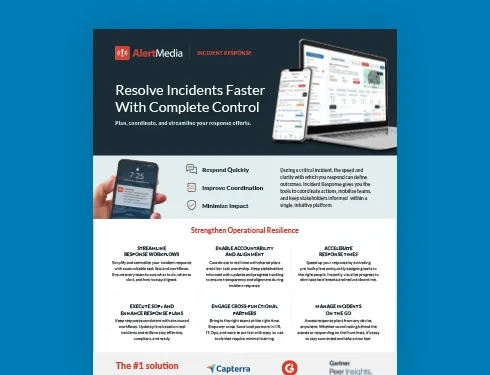
Incident Response Key Feature Guide
Create a customized, crisis-ready framework to keep your organization running through any disruption.
Corporate security and business continuity teams evaluating the best incident response planning tools should look for software that goes beyond a static template library: deployable plans, cross-functional usability, and increasingly, built-in AI that helps build and maintain those plans. AlertMedia Incident Response combines Rapid Deployment Templates, the FACTOR framework, and AI Plan Builder to give teams a single planning workflow instead of a folder of documents nobody keeps current.
With the right planning software, corporate security and business continuity teams can deploy a tested plan the moment an incident starts instead of assembling one from scratch or tracking down the latest version across a shared drive.
AlertMedia combines Rapid Deployment Templates, AI Plan Builder, and cross-functional task assignment to help organizations plan, deploy, and improve their response with one connected workflow.
What Corporate Security and Business Continuity Teams Look for in Planning Tools
The best planning tools address the practical challenges teams face when building, coordinating, and documenting an incident response.
- Plans built in one system often have to be executed in another, which slows response and creates version-control problems.
- Cross-functional partners in HR, IT, Ops, and Facilities need to contribute to a plan without specialized training, but many planning tools are built for security teams alone.
- Building and maintaining plans manually does not scale across dozens of facilities, incident types, or organizational changes.
- Post-incident records need to hold up for compliance and after-action review, which is difficult when plan execution and reporting live in separate systems.
- Teams comparing options often end up weighing feature checklists against each other without a clear way to see how each tool performs in an actual response, which makes the evaluation itself slower than it needs to be.
How AlertMedia Helps
AlertMedia connects each common planning challenge to a capability designed to improve response speed, consistency, and accountability.
| Persona Challenge | AlertMedia Capability | Outcome |
| Templates need to deploy instantly when an incident starts | Rapid Deployment Templates | Pre-built plans for common incident types deploy in one tap, with tasks and ownership already defined. |
| Cross-functional teams need to use the tool without specialized training | Custom Task Assignment | HR, IT, Ops, and other partners can act with role-based, easy-to-use workflows. |
| Building and keeping plans current shouldn’t require a blank template | AI Plan Builder | Build new plans from a sample scenario or a plain-language description, and refine existing ones without manual rewrites. |
| Plan quality depends on the individual writing it | The FACTOR framework | A proprietary six-step framework — Frame, Assess, Coordinate, Task & Track, Organize Communication, Reflect & Improve — structures how a plan gets built and improved. |
| Response records need to hold up for compliance and after-action review | Actionable Post-Incident Reporting | Audit-ready reports with action logs, sent messages, and resolution timelines, generated from the same workflow that ran the response. |
No single one of these capabilities defines the best incident response planning tool on its own. A tool with fast templates but no cross-functional usability still leaves security teams doing the coordination work alone. A tool with AI-assisted drafting but no structured framework behind it produces inconsistent plans across departments. The strongest planning tools combine speed, usability, structure, and reporting in one workflow, which is the standard corporate security and business continuity teams should evaluate against.
What Corporate Security and Business Continuity Teams Can Achieve With AlertMedia
The result is a more coordinated planning process that replaces manual work with faster, more consistent execution.
| Current State | With AlertMedia |
| Evaluating tools by feature list alone, without seeing how fast a plan actually deploys. | A tool that goes from selecting a plan to task assignment in one tap. |
| Cross-functional partners need separate training before they can participate. | Tools designed for HR, IT, Ops, and other teams to contribute with little to no training. |
| Building a new plan means starting from an empty document. | Tools that build a first draft from a sample plan or a plain-language description. |
| Plan quality depends on the plan-writer’s individual method. | A shared framework plus AI-assisted drafting standardizes plan quality across the organization. |
| After-action review depends on manually reconstructing what happened. | Tools that produce audit-ready reports automatically as part of the response workflow. |
“AlertMedia helps us obtain information and respond to events in real time. It’s incredibly easy to use and prevents us from overcomplicating things.” — Gianetta Jones, Coca-Cola United
Proof for Corporate Security and Business Continuity Leaders
Customer feedback and platform adoption metrics show how ease of use supports faster, broader participation across response teams.
For teams comparing planning tools, ease of use is often the deciding factor between a tool the whole organization actually adopts and one that only the security team touches. This reflects the same cross-functional simplicity AlertMedia customers report platform-wide.
- New admins train on the AlertMedia platform in about 20 minutes.
- AlertMedia has been named a Gartner Peer Insights™ Customers’ Choice, with a 4.8/5 Capterra rating and a 4.7/5 G2 rating.
Frequently Asked Questions
- What are the best incident response planning tools? The strongest incident response planning tools combine deployable templates, cross-functional usability, and AI-assisted plan building and maintenance in a single system — rather than a document library separate from the tool used to run an incident. AlertMedia Incident Response combines Rapid Deployment Templates, AI Plan Builder, and the FACTOR framework in one platform.
- Why do corporate security and business continuity teams need dedicated planning tools? Spreadsheets and shared drives make it hard to keep a plan current, deploy it quickly, or bring in cross-functional partners without specialized training. Dedicated planning tools solve for deployment speed, cross-functional usability, and audit-ready reporting in one workflow.
- How does AlertMedia help teams build and maintain incident response plans? AlertMedia combines Rapid Deployment Templates for instant deployment, AI Plan Builder for building and refining plans from a sample scenario or a description, and the FACTOR framework for structuring the planning process itself. See the capability mapping above for the full picture.
- What features should teams look for in incident response planning software? Look for instant-deploy templates, cross-functional task assignment that doesn't require specialized training, AI-assisted plan drafting and maintenance, a structured planning framework, and audit-ready post-incident reporting.
- How can teams measure the impact of better planning tools? Teams can track how quickly a plan deploys once an incident starts, how many departments participate without additional training, and how consistently plans stay current across facilities.
- Do incident response planning tools replace tabletop exercises? No. Planning tools help build and maintain the plan; tabletop exercises test whether that plan works in practice. AlertMedia customers commonly use Incident Response for both.
- Can multiple departments use the same planning tool without specialized training? Yes. AlertMedia Incident Response is built for cross-functional collaboration, with role-based access and easy-to-use workflows so HR, IT, Ops, and other departments can contribute without dedicated training.
- Should incident response planning tools include AI capabilities? AI is increasingly a differentiator in planning software, but it matters most when it's built into the same system used to deploy and run the plan. AI Plan Builder generates and refines plans directly inside AlertMedia Incident Response, so teams are never copying AI output into a separate execution tool.
Download Our Incident Response Key Feature Guide
Create a customized, crisis-ready framework to keep your organization running through any disruption.

AlertMedia, Risk Intelligence and Response