
By AlertMedia, Risk Intelligence and Response

Safety and Security Jul 30, 2026
How to Implement a Travel Risk Management System for Corporate Security
Travel Risk Management Key Feature Guide
Explore how AlertMedia can help keep your travelers informed and out of harm’s way.
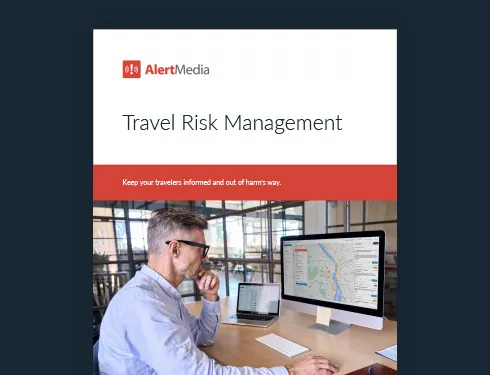
Table of Contents
- Why Travel Risk Management Implementation Matters
- 6 Phases of Travel Risk Management Implementation
- Travel Risk Management Implementation Checklist
- What to Look for During Implementation
- How AlertMedia Supports Travel Risk Management Implementation
- Make Implementation Part of the Travel Safety Program
Implementing a travel risk management system requires more than turning on software. Corporate security teams need to assess their travel exposure, define risk criteria, connect reliable itinerary data, train administrators, test response workflows, and establish a process for ongoing program maintenance.
Following this sequence helps ensure the system is accurate, adopted, and ready before an employee encounters a travel disruption. Without a structured implementation plan, organizations may launch with outdated traveler data, unclear responsibilities, or workflows that have never been tested.
This guide explains how to implement a travel risk management system in six phases and how corporate security teams can prepare travelers, identify emerging threats, and coordinate a faster response.
Travel Risk Management Key Feature Guide
Explore how AlertMedia can help keep your travelers informed and out of harm’s way.
Why Travel Risk Management Implementation Matters
A travel risk management system is only effective when the people, data, and processes behind it work together.
Several common implementation gaps can limit a program’s effectiveness:
Traveler data becomes outdated. A one-time data import starts losing accuracy as soon as employees book, change, or cancel trips. Without an ongoing connection to corporate travel systems, security teams may not know who is affected by a developing threat.
Program knowledge is concentrated among too few people. When only one or two administrators understand the system, coverage can depend on their availability during an urgent situation.
Response workflows remain untested. A system that has not been tested from traveler identification through communication and response introduces uncertainty when a real incident occurs.
Risk ratings do not reflect company policy. Destination risk criteria should support the organization’s own travel approval process and risk tolerance, not rely on unclear or unexamined defaults.
A strong implementation addresses these risks before the program goes live.
6 Phases of Travel Risk Management Implementation
1. Assess your organization’s travel exposure
Begin by documenting how employees travel and where the greatest risks may exist.
Review:
- The destinations employees visit most often
- High-risk or restricted destinations
- Executive and VIP travel
- Remote, field, or lone-worker travel
- Trip frequency and seasonal travel patterns
- Existing travel approval and escalation procedures
- Travel management, human resources, and expense systems that contain relevant traveler data
This assessment creates the requirements for the rest of the implementation. It also helps corporate security teams identify which travelers, destinations, and trip types may require additional preparation or oversight.
At this stage, assign clear program ownership. Corporate security may lead the program, but travel, human resources, legal, business continuity, and executive protection teams may also have defined responsibilities.
2. Define traveler preparation and risk criteria
Next, determine what information employees should receive before departure and how destination risk will influence travel decisions.
Pretrip guidance may include:
- Current safety and security conditions
- Health considerations
- Cultural and legal information
- Entry or documentation requirements
- Company travel policies
- Emergency contacts and response instructions
The organization should also establish how it will interpret and use destination risk ratings. For example, AlertMedia Travel Risk Ratings use four levels:
- Normal
- Caution
- Avoid
- Suspend
Define what each level means for your organization. A Caution rating might require a manager’s review, while an Avoid or Suspend rating may trigger approval from corporate security or senior leadership.
Documenting these criteria helps teams make consistent travel decisions instead of interpreting risk differently for each trip.
3. Connect and validate itinerary data
Accurate itinerary data is the foundation of traveler monitoring.
Connect the travel risk management system to the organization’s travel booking or travel management systems so trip details update automatically. This should include new reservations, itinerary changes, cancellations, and return dates.
After connecting the data, validate that the system can correctly identify:
- The employee taking the trip
- The traveler’s destination
- Departure and return dates
- Connecting airports and intermediate locations
- Changes made after the original booking
- Trips booked through supported travel channels
Automated itinerary syncing reduces manual work and gives corporate security teams a more current view of active and upcoming travel. Organizations should also establish a process for employees who book outside approved systems, since those trips may not appear automatically.
4. Train administrators and response teams
Train everyone who may need to use the system during normal operations or an urgent incident. With AlertMedia, administrators can be trained on the software in roughly 20 minutes, making it practical to cross-train a broader group rather than concentrate program knowledge among one or two people.
Training should cover how to:
- Review active and upcoming trips
- Access destination information and Travel Briefs
- Configure traveler and administrator alerts
- Identify travelers near an emerging threat
- Send and manage two-way communications
- Escalate requests for assistance
- Document actions and outcomes
- Review reports after an incident
Do not limit training to the primary program owner. Cross-training a broader group reduces single points of failure and helps maintain coverage across shifts, time zones, absences, and staff changes.
Administrators should also understand their role within the larger response process. The system can identify and communicate with travelers, but teams still need clear procedures for decision-making, escalation, and coordination.
5. Test the complete workflow before launch
Before relying on the system, run an end-to-end test that reflects a realistic travel disruption.
For example, simulate a severe weather event, civil unrest, transportation disruption, or security threat near an employee’s destination.
During the test, confirm that:
- The employee’s itinerary appears correctly.
- The right destination information is available before the trip.
- The developing threat is matched to the traveler’s location.
- Alerts reach the correct travelers and internal teams.
- The traveler can respond or request help.
- Security staff can confirm the traveler’s status.
- Escalation procedures work as documented.
- Actions and responses are recorded for follow-up.
Include both administrators and representative travelers in testing. A workflow may appear correct from the security team’s perspective but still be unclear to the employee receiving the alert.
Document any gaps, assign owners, and repeat the test after changes are made.
6. Launch the program and maintain it
A successful launch includes clear communication with travelers, managers, and internal response teams.
Employees should know:
- What information they will receive before and during travel
- Which alerts require a response
- How to request help
- Who can access their travel information
- What responsibilities they have when booking or changing a trip
After launch, review the program regularly. Corporate travel patterns, booking systems, internal contacts, and risk tolerance can all change.
Ongoing maintenance should include:
- Checking itinerary integration health
- Reviewing administrator access
- Updating contact and escalation information
- Retesting traveler communications
- Evaluating alerts and responses after incidents
- Reviewing destination risk criteria
- Updating policies when travel patterns or business operations change
Treating implementation as an ongoing program—not a one-time project—helps keep traveler information and response procedures reliable.
Keep your travelers out of harm's way with AlertMedia's Travel Risk Management.
Travel Risk Management Implementation Checklist
Use this checklist to assess whether your system is ready for launch:
- Program ownership and stakeholder responsibilities are documented.
- Common and high-risk travel destinations have been identified.
- Travel approval and escalation criteria are defined.
- Travelers receive destination-specific information before departure.
- Itinerary data syncs automatically from approved travel systems.
- A process exists for travel booked outside approved channels.
- Multiple administrators and response team members are trained.
- Travelers can receive alerts and request assistance.
- Security teams can identify affected travelers and confirm their status.
- The complete alert-to-response workflow has been tested.
- Program activity can be reviewed and documented.
- Integration health, policies, and workflows will be reviewed regularly.
What to Look for During Implementation
| Implementation factor | Why it matters |
| Automated itinerary syncing | Ongoing data connections help security teams maintain an accurate view of active and upcoming trips without relying on manual updates. |
| Clear program ownership | Defined roles prevent delays and confusion when teams need to make or escalate travel safety decisions. |
| Destination-specific traveler preparation | Relevant pretrip information helps employees understand local risks, company procedures, and how to get help. |
| Configurable risk criteria | Organizations can align travel decisions with their policies, risk tolerance, and approval requirements. |
| Cross-trained administrators | Training multiple people reduces dependence on one program owner and strengthens coverage across locations and time zones. |
| Structured testing before launch | End-to-end testing identifies data, communication, and response gaps before employees encounter a real disruption. |
| Two-way communication | Travelers can request assistance, while security teams can confirm status and share instructions. |
| Program reporting | Records of trips, alerts, responses, and follow-up actions support program reviews and duty-of-care documentation. |
“If your people are traveling, you have a legal duty of care to make sure they stay safe.”
—Delia Midamba, Head of Physical Security, Cloudflare
How AlertMedia Supports Travel Risk Management Implementation
AlertMedia is a unified risk intelligence and response platform that helps organizations protect their people and operations by detecting emerging threats early and coordinating a fast, organized response across the business.
AlertMedia Travel Risk Management combines traveler tracking, destination risk briefings, and localized alerts to help organizations protect employees away from home and meet their duty of care.
| Implementation need | How AlertMedia helps |
| Fast, low-friction administrator training | AlertMedia administrators can be trained on the software in roughly 20 minutes, making it practical to cross-train more team members and reduce single points of failure. |
| Current traveler information | Integrated Travel Data automatically syncs itineraries from an organization’s travel system, helping teams maintain an accurate view of active and upcoming trips. |
| Consistent pretrip preparation | Travel Briefs curated by AlertMedia travel security analysts provide destination-specific safety, cultural, health, and emergency information before departure. |
| Clear destination risk criteria | Travel Risk Ratings help teams evaluate destination risk and apply their own travel approval procedures consistently. |
| Visibility during active travel | Traveler Monitoring helps security teams see where employees are scheduled to travel and identify who may be affected by a developing threat. |
| Relevant threat notifications | Localized Threat Alerts notify travelers and security teams about threats near active and upcoming travel locations. |
| Direct access to assistance | Two-Way Communication allows travelers to request help and enables security teams to confirm their status during a disruption. |
| Program documentation | Reporting provides visibility into past, active, and upcoming trips to support ongoing reviews and duty-of-care documentation. |
More than 3,500 organizations across 150+ countries use AlertMedia to protect their people and operations.
Frequently Asked Questions
- How do you implement a travel risk management system for corporate security? Implement a travel risk management system in six phases: assess travel exposure, define traveler preparation and risk criteria, connect itinerary data, train administrators, test the full alert-and-response workflow, and establish an ongoing maintenance process. The implementation should address people and procedures as well as technology, including clear program ownership, reliable traveler data, documented escalation paths, and trained backup administrators.
- What is the first step in implementing a travel risk management program? The first step is assessing the organization’s travel exposure by identifying where employees travel, which trips present higher risk, which teams are responsible for traveler safety, and which systems contain itinerary and employee data. This assessment determines the program’s technical requirements, approval criteria, communication workflows, and staffing needs.
- How long does travel risk management implementation take? The timeline depends on the organization’s size, travel volume, existing systems, and internal approval process. AlertMedia administrators can be trained on the software in roughly 20 minutes, and automated itinerary syncing can reduce manual setup, but organizations should still allow time to define program ownership, configure risk criteria, validate data, and test escalation and response workflows before going live.
- How many travel risk management administrators should be trained? Organizations should train enough administrators to provide coverage across relevant locations, departments, time zones, and staff absences, since training only one or two people can create a single point of failure. Because AlertMedia administrators can be trained on the software in roughly 20 minutes, organizations can more easily cross-train everyone who may need to review trips, manage alerts, or support travelers.
- How should a corporate security team test a travel risk management system? Run a realistic end-to-end exercise that confirms itinerary data appears correctly, destination information reaches the traveler, a simulated threat is matched to the right location, alerts reach the intended recipients, and two-way communication allows the traveler and security team to exchange information. The exercise should also test escalation procedures, decision-making responsibilities, and documentation—not only whether a message was delivered.
- What data does a travel risk management system need? At minimum, the system needs accurate traveler identity, destination, departure, and return information. Depending on the program, it may also use connecting locations, transportation details, employee contact information, organizational groups, and relevant travel approval data. Automatic syncing from the organization’s travel system helps keep this information current as trips are booked or changed.
Make Implementation Part of the Travel Safety Program
Travel risk management software cannot protect employees through technology alone. It needs current traveler data, clear ownership, trained administrators, defined risk criteria, and tested communication and response procedures.
By treating implementation as the foundation of the program—not an administrative task to complete before launch—corporate security teams can build a more reliable process for preparing travelers, identifying emerging threats, and coordinating assistance when employees need it most.
Travel Risk Management Key Feature Guide
Explore how AlertMedia can help keep your travelers informed and out of harm’s way.

AlertMedia, Risk Intelligence and Response


More Articles You May Be Interested In
-

 Safety and Security, Emergency Management20 Business Travel Safety Tips and Guidelines for Employees
 -
 Emergency Management, Safety and SecurityHow the ISO 31030 Framework Enhances Travel Safety and Business Resilience
 -
 Safety and SecurityLocation-Based Weather Alerts to Keep Traveling Employees Safe