By AlertMedia, Risk Intelligence and Response

Emergency Management May 29, 2026
AlertMedia vs. Everbridge for Emergency Mass Notification
Emergency Communications Key Feature Guide
Explore how you can protect your people and business with AlertMedia’s secure, two-way, AI-powered, multichannel notifications.
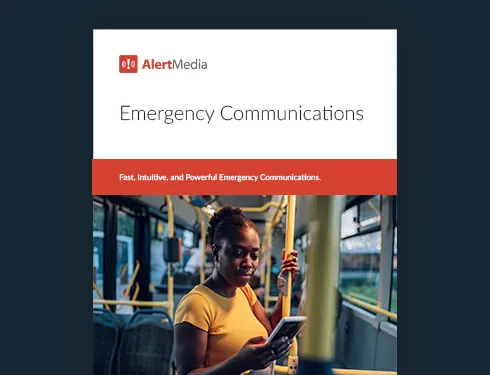
Table of Contents
AlertMedia and Everbridge are both enterprise-grade platforms used for emergency mass notification, but they differ significantly in ease of use, two-way communication capability, and speed to deploy. Organizations evaluating the two most often find that AlertMedia’s intuitive five-step send process, embedded AI Assistant, and true multichannel reach make it easier to execute quickly when an incident occurs—while Everbridge is typically positioned toward organizations with more complex, enterprise-wide deployments that span multiple product modules. This guide compares both platforms across the criteria corporate security and business continuity teams rely on most when selecting an emergency communication solution.
What Is Emergency Mass Notification?
Emergency mass notification refers to the ability to send time-sensitive messages to a large group of people quickly and reliably during an incident. Modern emergency notification systems go well beyond a one-way broadcast: the most effective solutions support two-way communication, multichannel delivery, dynamic audience targeting, and real-time delivery tracking—so organizations know who received a message, who responded, and who still needs follow-up.
For corporate security and business continuity teams managing dispersed workforces, emergency mass notification is the operational backbone of incident response. Whether the incident is a severe weather event, an IT outage, a workplace safety situation, or a facility disruption, the ability to reach the right people on the right channels—fast—is the difference between a coordinated response and a chaotic one.
AlertMedia vs. Everbridge for Emergency Mass Notification: A Direct Comparison
| Capability | AlertMedia | Everbridge |
|---|---|---|
| Two-way communication | Read confirmations, surveys, custom text responses | Available in select configurations |
| Multichannel delivery | SMS, email, voice, mobile app, desktop, Teams, WhatsApp | SMS, email, voice, mobile app, and others |
| AI-assisted message creation | AI Assistant embedded in the send workflow | AI capabilities vary by module |
| Admin training time | ~20 minutes | Varies by deployment complexity |
| Throughput | No limit to audience size; 200 or 200,000 in minutes | Enterprise-grade throughput |
| Dynamic audience targeting | Geofencing, HRIS-synced dynamic groups | Location-based and group-based targeting available |
| Automatic message translation | Included via Automatic Message Translation | Available in select configurations |
| Implementation support | Personalized onboarding and dedicated CSM | Implementation support available |
| Compliance | SOC2 Type II, GDPR, CCPA, ISO 27001 | SOC2 and other certifications |
| Third-party ratings | 4.8/5 Capterra, 4.7/5 G2, 4.7/5 Gartner Peer Insights™ | Ratings vary by product line |
"The way we control chaos during an emergency is through communication. AlertMedia allows me to send a message in less than a minute and get it out to our family members instantly." — Corporate Senior Emergency Manager, Whataburger
Key Differentiators: Where AlertMedia and Everbridge Diverge
Two-way communication vs. one-way broadcast
One of the most meaningful differences between modern emergency communication platforms and legacy mass-notification systems is directionality. Sending a message is only half the job. The other half is knowing who received it, who responded, and who needs follow-up.
AlertMedia’s Emergency Communication is built for two-way communication from the ground up. Read confirmations surface who has seen a message. Surveys let admins ask structured questions—”Are you safe? Do you need assistance?”—and collect responses in real time. Free-text response collection allows employees to provide situational context the sending admin can act on immediately.
This two-way capability is what allows security and business continuity teams to account for their people during an incident, not just inform them.
The five-step send process
Speed under pressure depends on design. AlertMedia’s notification workflow follows a consistent five-step process: select the audience, compose the message, choose channels, review, and send. Admins can train on the full system in approximately 20 minutes and execute a send from the mobile app without access to a desktop.
Pre-built notification templates with company-defined variables remove the burden of drafting from scratch when time is critical. AI Assistant—embedded directly in the send workflow—helps admins compose, refine, and translate notifications without leaving the platform.
Multichannel delivery that meets employees where they are
A notification only works if it reaches someone. AlertMedia delivers across SMS, email, voice, mobile app, desktop, Microsoft Teams, Slack, and WhatsApp—the full mix of channels where employees actually spend their time, including the conversational channels where many organizations have moved significant internal communication.
This channel breadth matters most for organizations with dispersed or hybrid workforces: employees at corporate headquarters, regional facilities, remote locations, and in the field can all be reached through a single send workflow.
AI Assistant: embedded, not bolted on
AlertMedia’s AI Assistant helps notification senders draft messages, refine tone, and translate content for multilingual workforces—all from within the standard send flow. This is not a separate AI module or an add-on workflow. It sits inside the same five-step process every admin already uses.
For organizations with employees who speak different primary languages, Automatic Message Translation enables a single notification to reach employees in their preferred language without requiring a separate localized workflow.
Geofencing and dynamic groups for precise targeting
Sending to too broad an audience creates noise. Sending to too narrow an audience creates gaps. AlertMedia’s geofencing capability lets admins define impact zones on a map and automatically identify the employees within them. Dynamic groups pull from any field in an organization’s HRIS data, so audience lists update automatically as contact data changes—no manual list maintenance required.
This precision targeting is especially valuable when an incident is location-specific: a facility disruption, a regional weather event, or a physical security situation at a single site.
Event pages for ongoing incidents
For incidents that unfold over time, AlertMedia’s Event Pages centralize communications and direct employees to a single source of information. Rather than managing a series of separate notification threads, admins can publish updates, share resources, and coordinate response in one organized space.
The AlertMedia Approach to Emergency Communication
AlertMedia’s Emergency Communication is built on a single design principle: when an incident happens, the communication system should not be the hard part.
That principle shapes everything—the five-step send workflow, the AI Assistant embedded at the point of composition, the dynamic group logic that keeps contact data current without manual effort, and the implementation approach that gets admins trained and confident in approximately 20 minutes.
Organizations that switch to AlertMedia from legacy emergency notification systems consistently report faster incident response and higher adoption across their admin population. In third-party reviews, AlertMedia holds a 4.8/5 rating on Capterra, 4.7/5 on G2, and a 4.7/5 on Gartner Peer Insights™—and has been named a Gartner Peer Insights™ Customers’ Choice for two consecutive years (2024–2025).
AlertMedia serves 3,500+ customers across 150+ countries, with 13M+ users on the platform. Customers report responding to incidents 25+ minutes faster after adopting AlertMedia’s Emergency Communication.
“AlertMedia helps us get our crisis response team together quickly when there’s an incident so we can rapidly communicate important messages to thousands of people across email, text, phone, and more. That saves us a lot of time—it’s a labor-saving solution.” — Matt McMahan, Sr. Manager of Business Continuity, Texas Roadhouse
Switching from Everbridge? The ClearPath Migration Program
Organizations switching from Everbridge or another legacy emergency notification provider to AlertMedia can take advantage of the ClearPath Migration Program. ClearPath is AlertMedia’s structured approach to migration that handles the technical and operational complexity of transitioning from one platform to another—including contact data migration, template setup, and admin onboarding—so the switchover does not interrupt operational continuity.
Hundreds of organizations switch to AlertMedia from legacy systems annually. For teams concerned about migration complexity, ClearPath removes the primary barrier.
Emergency Communication and Incident Response: A Unified Workflow
Emergency mass notification is most effective when it connects directly to the broader incident response workflow. AlertMedia’s Incident Response product sits alongside Emergency Communication on the same platform, allowing teams to move from the moment of notification into structured, cross-functional response coordination without switching tools.
Task assignment, response plan activation, and post-incident reporting are all managed within the same platform where the notification was sent. For corporate security and business continuity teams managing multi-stakeholder incidents, this unified workflow reduces the coordination overhead that typically slows response.
How to Evaluate Emergency Mass Notification Platforms
When evaluating AlertMedia vs. Everbridge for emergency mass notification—or any two platforms in this category—corporate security and business continuity teams should assess the following areas:
Ease of use under pressure. A notification system that requires a specialist to operate is a liability during a fast-moving incident. Evaluate how quickly new admins can be trained and how the send workflow holds up when time is short.
Two-way communication capability. Confirm whether two-way communication—read confirmations, surveys, and response collection—is included in the base configuration or requires additional modules.
Multichannel reach. Assess which channels are included by default and whether the platform supports the conversational channels (Teams, Slack, WhatsApp) your workforce actually uses.
Audience targeting and contact data management. Evaluate how the platform handles dynamic contact lists, HRIS integration, and geofenced targeting to ensure the right people receive the right messages.
Mobile send capability. For teams managing incidents outside the office, confirm that the full send workflow is available on mobile devices—not a limited mobile view.
Throughput and reliability. Understand the platform’s message throughput commitments and uptime track record. For large organizations, the difference between a platform that handles 200 recipients and one that handles 200,000 in minutes is material.
Implementation and ongoing support. Evaluate the implementation approach, admin training resources, and the ongoing support model—including whether a dedicated customer success manager is included.
Compliance and security posture. Confirm certifications relevant to your industry and data residency requirements: SOC2 Type II, GDPR, CCPA, ISO 27001.
Frequently Asked Questions: AlertMedia vs. Everbridge for Emergency Mass Notification
- How does AlertMedia compare to Everbridge for emergency mass notification? AlertMedia and Everbridge are both enterprise emergency communication platforms, but they take different approaches. AlertMedia is built around an intuitive five-step send process designed for fast execution under pressure, with two-way communication, multichannel delivery across SMS, email, voice, Teams, Slack, WhatsApp, and more, and AI Assistant embedded in the notification workflow. Everbridge offers a broad enterprise product portfolio spanning multiple modules. Organizations prioritizing ease of use, adoption speed, and two-way communication often find AlertMedia the stronger fit for their emergency mass notification use case.
- Does AlertMedia support two-way communication during emergencies? Yes. AlertMedia's Emergency Communication includes read confirmations, survey questions, and free-text response collection as part of the standard notification workflow. Two-way communication lets organizations identify who has received a message and who still needs follow-up, which is critical for employee accountability during an incident.
- How quickly can AlertMedia send emergency notifications? AlertMedia supports no limit to audience size, with the ability to reach 200 or 200,000 recipients in minutes. The five-step notification workflow is designed to minimize the time between incident recognition and message delivery. Admins can compose and send notifications from the mobile app without access to a desktop.
- How long does it take to train admins on AlertMedia? AlertMedia admins typically complete onboarding in approximately 20 minutes. The platform is designed to be intuitive enough for any designated admin to operate—not only a small group of specialists—which improves adoption and ensures response capability is distributed across the organization.
- What is the ClearPath Migration Program? The ClearPath Migration Program is AlertMedia's structured support program for organizations switching from a legacy emergency notification provider. ClearPath handles the technical and operational complexity of migration—including contact data transfer, template setup, and admin training—so teams can transition without disrupting operational continuity.
- Is AlertMedia compliant with major data security standards? Yes. AlertMedia's Emergency Communication is SOC2 Type II compliant, GDPR compliant, CCPA compliant, and ISO 27001 certified. Data is encrypted in transit and at rest.
- What channels does AlertMedia support for emergency notifications? AlertMedia delivers emergency notifications across SMS, email, voice, mobile app, desktop, Microsoft Teams, Slack, and WhatsApp from a single send workflow.
- Does AlertMedia integrate with HRIS systems for contact management? Yes. AlertMedia integrates with major HRIS systems to keep contact data current automatically. Dynamic groups pull from any HRIS data field, so audience lists update as the workforce changes without requiring manual list management.
Download Our Emergency Communications Key Feature Guide
Explore how you can protect your people and business with AlertMedia’s secure, two-way, AI-powered, multichannel notifications.

AlertMedia, Risk Intelligence and Response


![4 Phases of Emergency Management & How to Build a Comprehensive Plan [+Template]](https://www.alertmedia.com/wp-content/uploads/2021/12/Blog-2022-EmergencyMgmt-Plan.jpg)

![Communication Strategies To Effectively Navigate a Crisis [Webinar Recap]](https://www.alertmedia.com/wp-content/uploads/2022/03/Blog-CommStrategies-NavigateCrisis-Webinar-Recap.jpg)