
By AlertMedia, Risk Intelligence and Response

Emergency Management Jun 16, 2026
Enterprise Crisis Management Software: A Buyer’s Guide for Security and Continuity Leaders
Incident Response Key Feature Guide
Create a customized, crisis-ready framework to keep your organization running through any disruption.
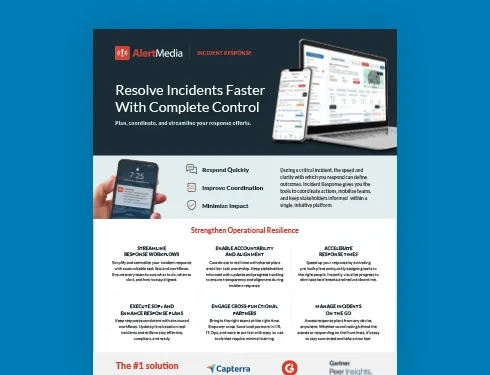
Table of Contents
- Why Enterprise Crisis Coordination Is Different
- From Manual Coordination to Structured Execution
- What Enterprise Crisis Management Software Should Actually Do
- A Framework for Structured Enterprise Response
- The AlertMedia Approach
- AlertMedia by the Numbers
- Transitioning from Legacy Crisis Management Systems
Enterprise crisis management software is a purpose-built platform that helps large organizations plan, coordinate, and execute structured responses to critical incidents—from severe weather and cyberattacks to workplace safety events and facility outages. The best enterprise solutions replace fragmented manual processes with pre-built response plans, cross-functional task coordination, real-time impact visibility, and audit-ready reporting, all accessible from any device. For corporate security directors, business continuity leaders, and crisis management teams managing complex, multi-location environments, the right software is what separates a repeatable, controlled response from an ad-hoc scramble.
Why Enterprise Crisis Coordination Is Different
Most organizations have some form of incident documentation—binders, shared drives, or spreadsheets outlining who does what when something goes wrong. At the enterprise scale, that approach consistently breaks down under real-world pressure.
The challenges are structural, not individual:
- Dispersed teams across dozens or hundreds of locations mean that a single incident can affect employees in multiple time zones simultaneously, each needing different information and actions.
- Cross-functional responses where security, HR, IT, facilities, legal, and operations all play a role, but their tools and communication channels rarely connect.
- Legacy crisis management systems that are often complex enough that only a handful of specialists know how to use them, creating dangerous single points of failure during the incident itself.
- Post-incident compliance requirements are growing and regulated industries increasingly require documented evidence of what decisions were made, when, and by whom.
The result is a common pattern that most enterprise security and continuity leaders recognize: a well-documented plan that never quite deploys the way it was designed to, and an after-action review that reveals how much time was lost to coordination rather than resolution.
From Manual Coordination to Structured Execution
Enterprise crisis management software does not replace the people who lead a response—it removes the process friction that slows them down.
| Without enterprise crisis management software | With enterprise crisis management software |
| Response plans stored in SharePoint or PDF binders—not executable under pressure | Rapid deployment templates launch in a single tap, with task ownership already defined |
| Team leads manually call or text to assign tasks during an active incident | Custom task assignment distributes responsibilities across departments with clear ownership and visibility |
| No single source of truth—status updates scattered across email and group chat | Centralized incident page tracks tasks, blockers, and stakeholder updates in real time |
| Impact area is estimated; teams learn who is affected through phone calls | Dynamic impact area monitoring uses geofencing to define and adjust affected areas as conditions change |
| Post-incident documentation assembled after the fact from memory and partial records | Actionable post-incident reporting generates audit-ready exports with action logs, sent messages, and resolution timelines |
What Enterprise Crisis Management Software Should Actually Do
Not all incident management platforms are built for enterprise complexity. When evaluating options, corporate security and business continuity teams should assess six core capabilities:
1. Pre-built, deployable response plans
Templates that activate immediately when an incident is declared—not blank-canvas workflow builders that require setup under pressure. Look for customizable plans tied to specific incident types (weather, cyber, workplace safety, operational disruption) with role-based task assignment already embedded.
2. Cross-functional task coordination
The platform should be usable by HR, IT, operations, and facilities—not just the security team. If the only people who know how to operate the software are the two specialists who attended the implementation, the organization has a single point of failure. Enterprise-grade platforms train administrators in minutes, not weeks.
3. Real-time impact visibility
Knowing who and what is affected is as important as knowing what to do. Dynamic geofencing capabilities let response teams define affected areas on a map and adjust them as conditions evolve—automatically surfacing which employees, sites, or assets are inside the impact zone.
4. Integrated communication
Coordination and communication are two sides of the same response. Enterprise crisis management software should connect directly to the organization’s emergency notification infrastructure—so response task lists and stakeholder notifications operate from a single workflow, not two separate systems.
5. Mobile-first accessibility
Incidents do not wait for someone to reach a desktop. Responders need full platform access from a mobile device—including the ability to deploy plans, assign tasks, update status, and send communications without being physically present at a command center.
6. Audit-ready post-incident reporting
For regulated industries and organizations with board-level accountability for operational resilience, the ability to produce a complete, timestamped record of every action taken—without assembling it manually after the fact—is no longer optional. Look for built-in post-incident reporting that exports action logs, sent messages, and resolution timelines.
A Framework for Structured Enterprise Response: The FACTOR Framework
AlertMedia developed the FACTOR framework as a structured methodology for enterprise incident response planning. It is built around six sequential steps that are simple enough to execute under pressure and comprehensive enough to support compliance and continuous improvement.
| Step | What it means |
| F — Frame the problem | Define what is happening, who is affected, where, and how severe. A one-sentence Problem Statement prevents misalignment in the first minutes of a response. |
| A — Assess priorities | Triage what needs to happen now versus what can wait. Identify decision points and who owns each one. |
| C — Coordinate the response | Define roles, activate the right people, and establish a single source of truth so every responder knows their assignment. |
| T — Task and track | Assign tasks with clear owners and deadlines. Track progress and identify blockers before they stall the response. |
| O — Organize communication | Plan internal updates, external messaging, and targeted notifications at every phase. Confusion grows in a vacuum. |
| R — Reflect and improve | Hold a post-incident review. Gather feedback. Update plans. Reflection turns response into resilience. |
The tagline for the FACTOR framework captures the right enterprise posture: start simple, stay adaptable, get better with every incident.
The AlertMedia Approach to Enterprise Crisis Management Software
AlertMedia’s Incident Response solution is purpose-built for the coordination challenges enterprise teams face—and it is integrated with the same platform that handles threat intelligence, emergency communication, and location-based impact monitoring. For security and continuity leaders managing multi-location, multi-function organizations, that integration is what makes AlertMedia meaningfully different from standalone incident management tools.
Rapid Deployment Templates
Pre-built, customizable response plans for the incident types enterprise teams face most often—severe weather, cyberattacks, workplace safety events, and operational disruptions. When an incident is declared, the plan deploys instantly. Task ownership is already defined. No one is building a workflow from scratch while an incident is active.
Custom Task Assignment
Role-based task delegation brings HR, IT, facilities, and operations into the response without requiring specialized training. AlertMedia trains administrators in approximately 20 minutes, which means cross-functional adoption is a practical reality, not a theoretical one.
Dynamic Impact Area Monitoring
Geofencing-based impact visibility shows responders exactly who and what is inside the affected area—and adjusts automatically as conditions change. When a storm track shifts or a facility perimeter expands, the platform updates the impact zone in real time.
Actionable Post-Incident Reporting
Every action taken during an incident is automatically logged—task assignments, status updates, notifications sent, and resolution timestamps. Post-incident reports export in audit-ready formats that support after-action reviews, compliance reporting, and continuous improvement cycles. Organizations no longer need to reconstruct the timeline from memory after the fact.
One platform, not three
AlertMedia’s Incident Response solution sits alongside Emergency Communication, Threat Intelligence, and Visual Intelligence in a single unified platform. Threat detection flows directly into incident triggers. Notifications to impacted employees deploy through the same system that manages the response workflow. The map that shows task locations is the same map that monitors geofenced impact areas. Enterprise teams that have previously managed these functions in separate systems—often with separate contracts, logins, and support relationships—consistently describe the consolidation as a meaningful operational improvement.
“AlertMedia helps us obtain information and respond to incidents in real time. It’s incredibly easy to use and prevents us from overcomplicating things.”
— Gianetta Jones, Coca-Cola United
AlertMedia by the Numbers
3,500+ customers across 150+ countries rely on AlertMedia to protect more than 15 million employees. Organizations using AlertMedia respond to incidents 25+ minutes faster than with legacy systems. Gartner Peer Insights™ named AlertMedia a Customers’ Choice. The platform is SOC2 Type II certified and compliant with GDPR, CCPA, and ISO 27001.
Transitioning from Legacy Crisis Management Systems
Many enterprise teams reach a point where their existing software—whether it is an older incident management platform, a homegrown system, or a patchwork of shared documents—no longer scales with the organization’s complexity. The conversation about replacement is often triggered by one of three events: a real incident that exposed gaps in the current process, a compliance review that surfaced documentation deficiencies, or a leadership change that brought new expectations for operational resilience.
AlertMedia’s ClearPath Migration Program is designed for exactly this transition. It provides structured onboarding, configuration support, and training designed to get enterprise teams fully operational with minimal disruption to existing response workflows. Hundreds of organizations switch to AlertMedia from legacy systems annually.
Frequently Asked Questions: Enterprise Crisis Management Software
- What is enterprise crisis management software? Enterprise crisis management software is a platform that enables large organizations to plan, coordinate, and execute structured responses to critical incidents. It typically includes pre-built response plan templates, cross-functional task coordination, real-time impact monitoring, integrated emergency communication, and post-incident reporting capabilities—all accessible from a single interface on any device.
- How is enterprise crisis management software different from a basic incident management system? Enterprise solutions are built for organizational scale and complexity. They support multi-location impact monitoring, cross-functional task delegation for non-specialist users, compliance-grade audit reporting, and integration with threat detection and emergency communication systems. Basic incident management systems typically lack the real-time impact visibility, structured plan deployment, and post-incident documentation capabilities that enterprise compliance and operational resilience requirements demand.
- What is the FACTOR framework? The FACTOR framework is AlertMedia’s proprietary methodology for structured enterprise incident response. It covers six sequential steps: Frame the problem, Assess priorities, Coordinate the response, Task and track, Organize communication, and Reflect and improve. The framework is embedded in AlertMedia’s Incident Response solution and is designed to be simple enough to execute under pressure while comprehensive enough to support After-Action Reviews and continuous improvement.
- How does AlertMedia’s Incident Response integrate with emergency communication? AlertMedia’s Incident Response and Emergency Communication products operate within the same unified platform. When an incident is declared, response teams can deploy notification templates to impacted employees directly from the incident workflow—without switching systems, logging into a second application, or manually cross-referencing who is in the affected area. Threat Intelligence can also trigger incident plans automatically when a qualifying event is detected.
- How long does it take to train enterprise teams on AlertMedia? AlertMedia trains administrators in approximately 20 minutes. The platform is designed for cross-functional adoption, meaning HR, IT, facilities, and operations users can participate in a coordinated response without specialized training or prior experience with the system. This is a meaningful operational advantage for organizations where response coordination cannot be limited to a small group of platform specialists.
- How does AlertMedia support post-incident compliance and audit requirements? AlertMedia’s actionable post-incident reporting automatically generates a complete record of every action taken during an incident: task assignments, status updates, notifications sent, and resolution timestamps. These exports are formatted for after-action reviews, compliance reporting, and board-level operational resilience documentation—without requiring manual reconstruction after the fact.
- What does the ClearPath Migration Program include? The ClearPath Migration Program is AlertMedia’s structured onboarding and transition program for organizations moving from legacy crisis management systems. It includes configuration support, team training, and workflow alignment designed to minimize disruption during the transition and ensure the platform is fully operational before the first real incident.
Download Our Incident Response Key Feature Guide
Create a customized, crisis-ready framework to keep your organization running through any disruption.

AlertMedia, Risk Intelligence and Response