

Alert Notification System for Fast, Reliable Emergency Communication
See how AlertMedia can help you:
- Send urgent alerts quickly during emergencies and high-impact disruptions
- Reach people on any device across multiple channels, regardless of location
- Confirm receipt and gather responses with two-way messaging, acknowledgments, and status updates
What Is an Alert Notification System?
An alert notification system is a centralized platform used to send time-sensitive messages to defined groups during emergencies and critical business disruptions. It delivers alerts across multiple channels—such as SMS, voice, email, mobile app push notifications, and desktop alerts—so recipients can receive instructions quickly, even if one channel is unavailable.
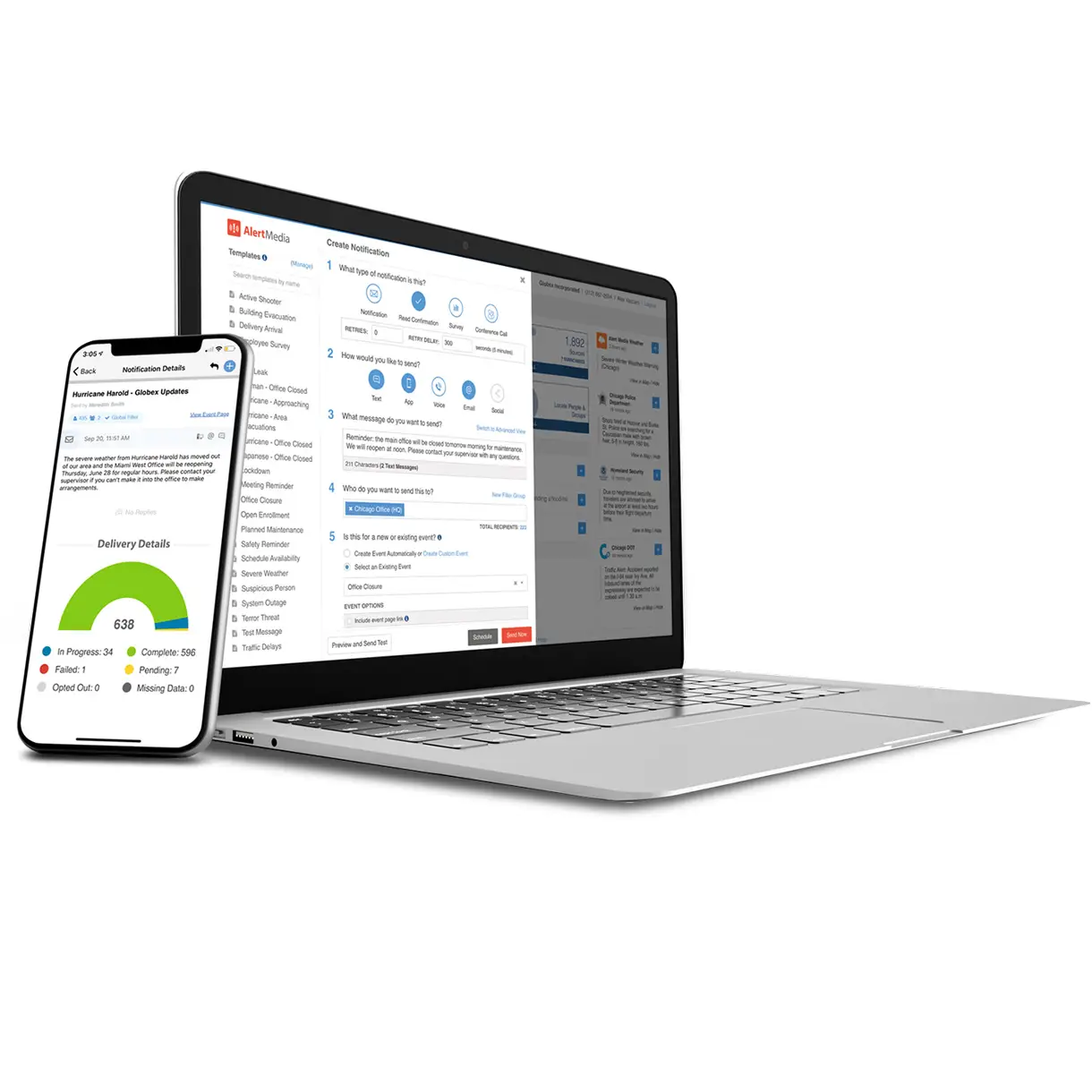
Send Emergency Alerts Across Every Critical Channel

 Landline or mobile phone calls—helpful when recipients need an audible alert
 SMS text messaging—fast delivery for on-the-go teams
 Digital signage—reinforce instructions for onsite facilities and shared spaces
 Desktop alerts—reach employees actively working on computers
 Email—useful for longer instructions and follow-up details
 Mobile app—push notifications plus a trusted in-app source of updates
Trusted by Thousands of World-Class Organizations






An Alert Notification System Built for Real-World Incidents
During critical events, organizations need to deliver clear instructions quickly, maintain consistent updates, and understand who has received and acknowledged messages. A modern alert notification system supports faster response and better coordination by making communication immediate, multi-channel, and measurable.
 More Reliable Than Phone TreesManual call trees and single-channel methods are difficult to execute under pressure and can delay critical instructions. An alert notification system enables rapid, simultaneous delivery across channels so people receive consistent guidance even when conditions are changing.
 Fits Any Company’s Size and NeedsOrganizations need alerting that scales from small teams to enterprise-wide communications. Modern alert notification systems support large distribution lists, high-volume sending, and targeted delivery by location, role, or group—without requiring manual workarounds.
 Integrated Threat IntelligenceSome organizations connect alerting with threat monitoring or intelligence feeds so teams can move from awareness to notification faster. This can reduce time to communicate by keeping context and communication workflows in one place.
 Automated Processes Make Communication EasierAutomation and pre-built templates help teams send accurate instructions quickly. Organizations can standardize messaging for common scenarios and trigger notifications through defined workflows so alerts are faster, clearer, and more consistent.
A Trusted Solution for Emergency Communication

 GetApp Customer ReviewsReviewers on GetApp give AlertMedia an average rating of 4.8/5
 Capterra Customer ReviewsReviewers on Capterra give AlertMedia an average rating of 4.8/5
 G2 Customer ReviewsReviewers on G2 give AlertMedia an average rating of 4.6/5
Find an Emergency Notification System You Can Trust With Your Team’s Safety
Whether you’re notifying a single site or an entire organization, an alert notification system should deliver messages quickly, support targeted communication, and provide visibility into delivery and responses—so teams can coordinate action during critical events.
 Any Device, AnywhereReach people wherever they are using the channels they’re most likely to receive in the moment—mobile, desktop, email, voice, and more—so communication remains consistent across locations and work environments.
 Enterprise SecurityAlert notification systems handle sensitive employee and organizational data. Look for enterprise-grade security controls, encryption, and operational safeguards designed for high-stakes communication.
 Two-Way MessagingTwo-way messaging helps teams confirm who received an alert, collect acknowledgments, and request status updates—supporting faster decisions and better coordination during an incident.
 Multichannel DeliverySend alerts across multiple channels at the same time—SMS, voice, email, mobile app push notifications, and desktop alerts—so the message is more likely to be seen even if one channel is delayed or unavailable.
 Intuitive User ExperienceDuring emergencies, usability matters. An intuitive interface helps authorized senders quickly select audiences, channels, and templates—reducing friction when seconds count.
 Reporting & InsightsReporting helps teams evaluate delivery, acknowledgments, and response patterns so they can refine templates, targeting, and procedures over time.
Use AlertMedia’s Mass Communication System in Any Critical Situation
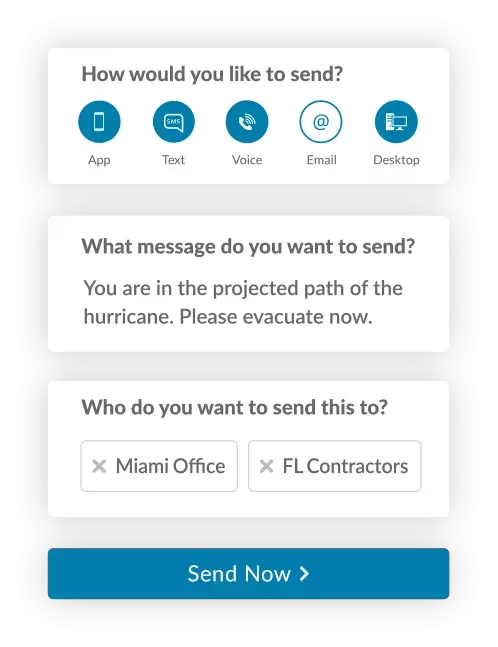
- Security threats and safety incidents
- Severe weather and environmental hazards
- Natural disasters
- Fire drills, evacuations, and shelter-in-place events
- Power outages and facility disruptions
- Technology and communications outages
- Public safety and community disruptions (traffic, street closures)
- Closures and operational updates (building, facility, campus)
- Time-sensitive internal communications

Validated User Reviews




Solutions for Companies of All Sizes

International Justice Mission

Rockland Trust

Greyhound
Frequently Asked Questions
- Why use an alert notification service? An alert notification system helps organizations deliver urgent instructions quickly during emergencies and critical disruptions. It supports multichannel delivery, targeted communication, and measurable responses so teams can coordinate action and confirm who has received and acknowledged key messages.
- What are the benefits of alert notification systems? Key benefits include faster delivery across multiple channels, targeted messaging by location or role, two-way communication for acknowledgments and status updates, and reporting that improves preparedness over time.
- How do you send an alert notification? Most alert notification systems use a centralized interface where authorized senders select an audience, choose delivery channels, and send a message or template. Many organizations integrate contact data from HR or directory systems to keep recipients and groups current.
- When would you send an emergency notification? Send emergency notifications when people need time-sensitive instructions—such as evacuations, shelter-in-place events, severe weather, security incidents, major outages, or facility disruptions. Organizations also use alerting for urgent operational updates when immediate awareness is required.
- What makes a good alert notification software? A good alert notification system supports multichannel delivery, targeted audiences, two-way communication, dependable sending, and reporting. It should also be easy to use under pressure and designed to support repeatable emergency workflows.
- Who needs an alert notification solution? Any organization responsible for employee, student, or stakeholder safety can benefit from an alert notification system—especially those with distributed teams, multiple sites, or operations that require rapid coordination during disruptions.
- How do you ensure your alerts are timely and accurate? Use scenario-based templates and pre-approved language for common incidents, maintain accurate contact data and groups, and limit alerts to relevant audiences. Regular tests and after-action reviews help teams refine timing, clarity, and channel strategy. With integrated threat intelligence, you can also feel confident you’re prioritizing the right threats at the right times based on the potential impact to your people in specific locations.
- Can you segment recipients to send alert notifications to those who need them? Yes. Segmentation allows teams to target alerts by location, site, department, or role so recipients get instructions relevant to their situation while reducing unnecessary notifications for others.
- What is the difference between an alert notification system and mass notification software? An alert notification system is often used interchangeably with mass notification software. In practice, both refer to platforms that send urgent messages to groups across multiple channels; the best solutions also support two-way communication, targeting, and reporting.
- Do alert notification systems work if cellular networks are congested? No channel is guaranteed in every incident. Multichannel delivery improves reliability by sending the same message through multiple paths—such as push notifications, email, desktop alerts, and voice—so recipients have alternate ways to receive instructions.
- How often should organizations test an alert notification system? Organizations commonly test on a regular cadence and after major changes (new sites, reorganizations, directory updates). The right frequency depends on risk profile, but testing should be routine, communicated in advance, and followed by a review.
- What should an emergency alert message include? Effective alerts state what is happening, who is affected, what action to take, and where to find updates. Messages should be concise, use plain language, and be consistent across channels.